Release Notes
5/22/2025
V2025.5.20.0
Bulk Pick - Bug fix to block multiple clicks of the pick from pallet button.
Bulk Pick - Bug fix to not load orders that aren’t in a pickable status.
General – Removed the Test option from the Environment selection.
Previous Release Notes
1/23/2025
V2024.12.2.0
Pick Station – Pick path sort, backend update to restore original sorting logic.
General – Option for Pick Sequence Sort is now displayed at all picking stations.
Bulk Pick Station – Backend update to map Lot number and Expiration date from source pallet.
11/5/2024
V2024.11.1.0
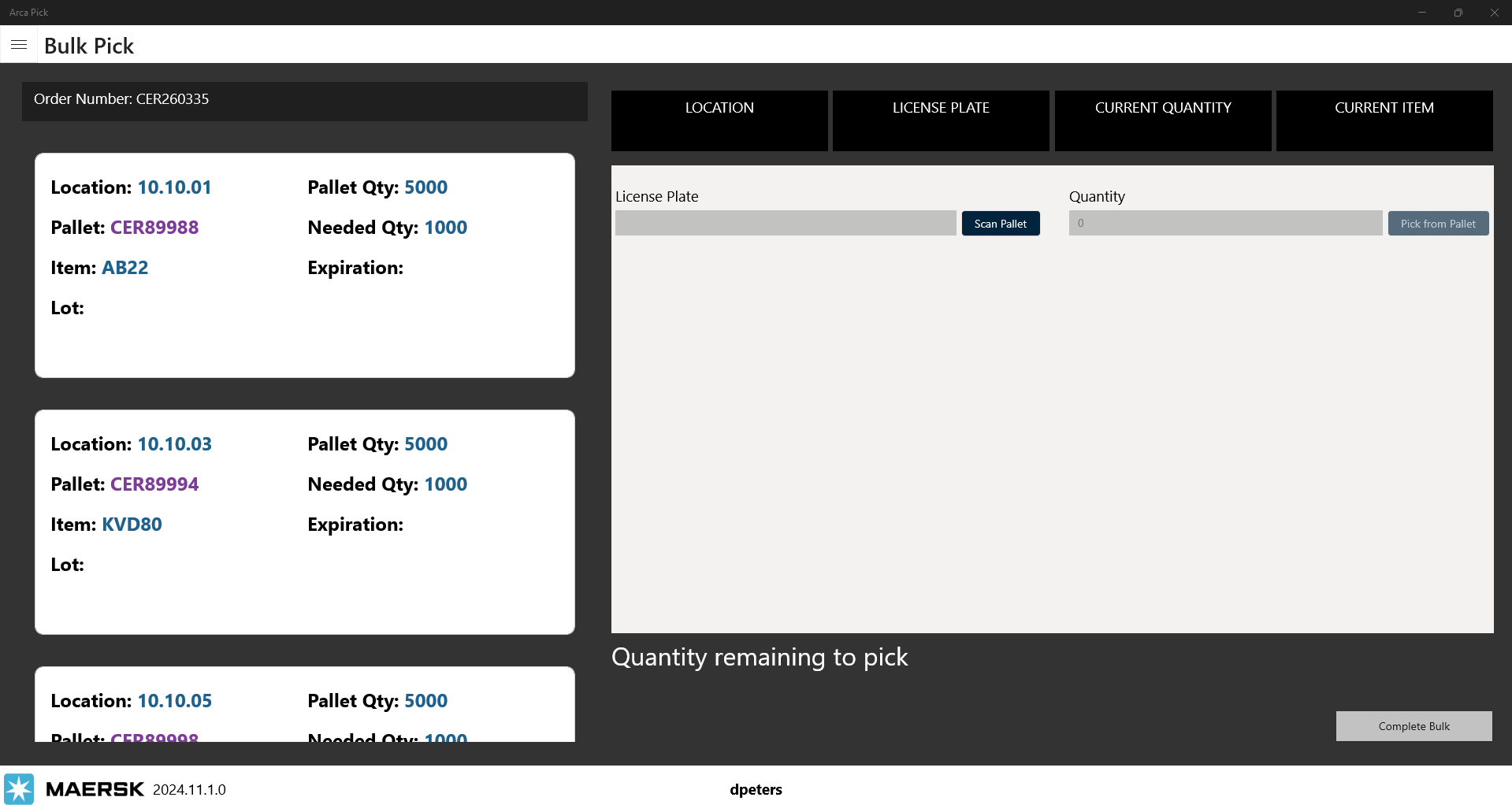
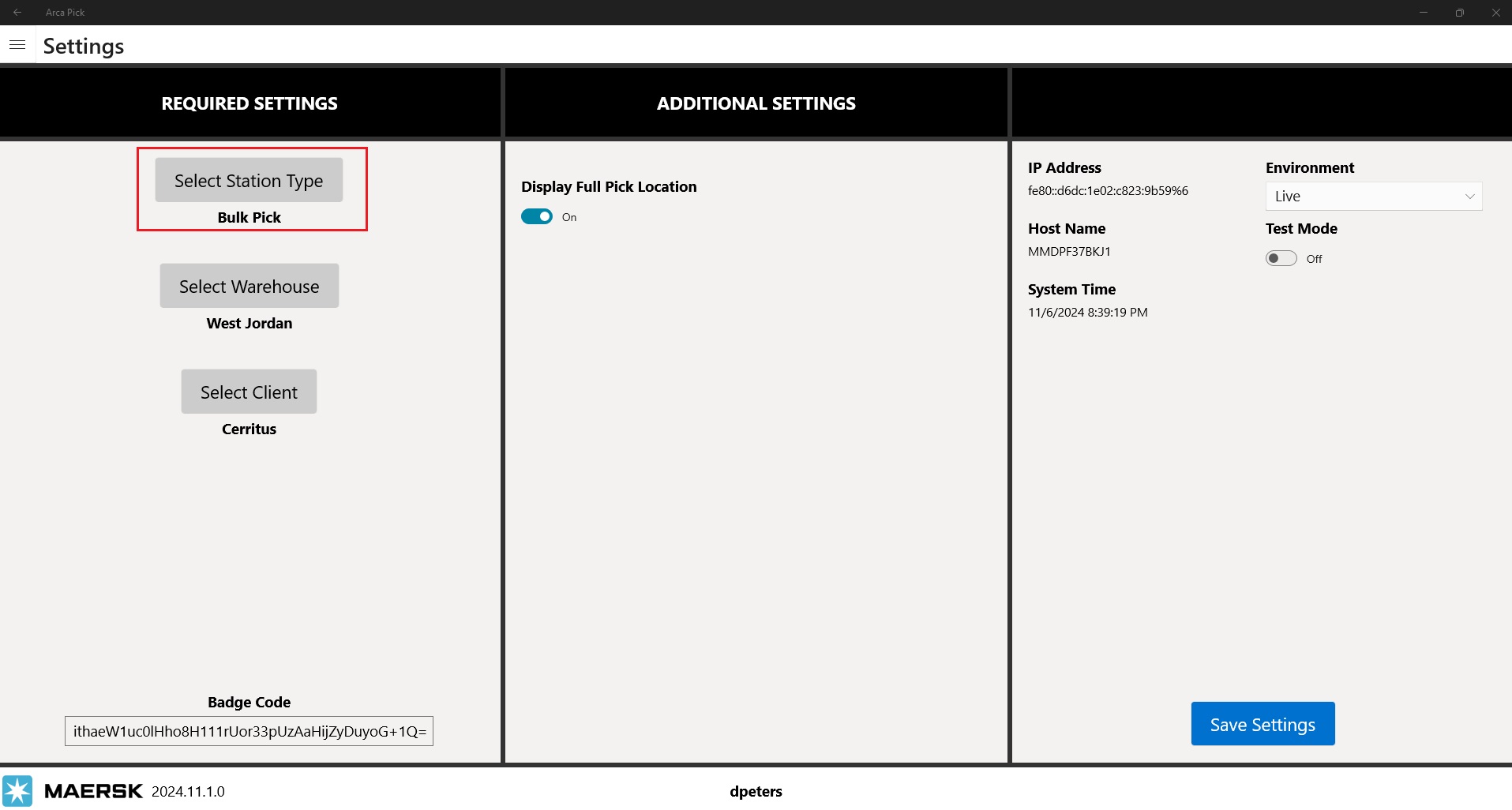
- New Feature Release – Bulk Pick station. Designed for bulk and transfer type orders, this station allows a user to pick in bulk quantity by the pallet.
10/10/2024
V2024.10.11.0
General – Backend code updates for security.
General – Dynamic load of client business rules. Note* Each time a user logs into the app, it will load the current business rules of the selected client. That means if you change a rule, each station will need to log out and then log in again for the rule change to be applied.
3/14/2024
V2024.3.14.0
Bug fixes for item serial mask scan.
1/25/2024
V2024.1.26.0
Adding logic to save item serial mask when scanning in Pick station type. This allows all item serial masks to be unique.
3/23/2023
V2023.103.1105.0
The new feature added is just a beep sound when you scan an incorrect item.
3/8/2023
V2023.103.1102.0
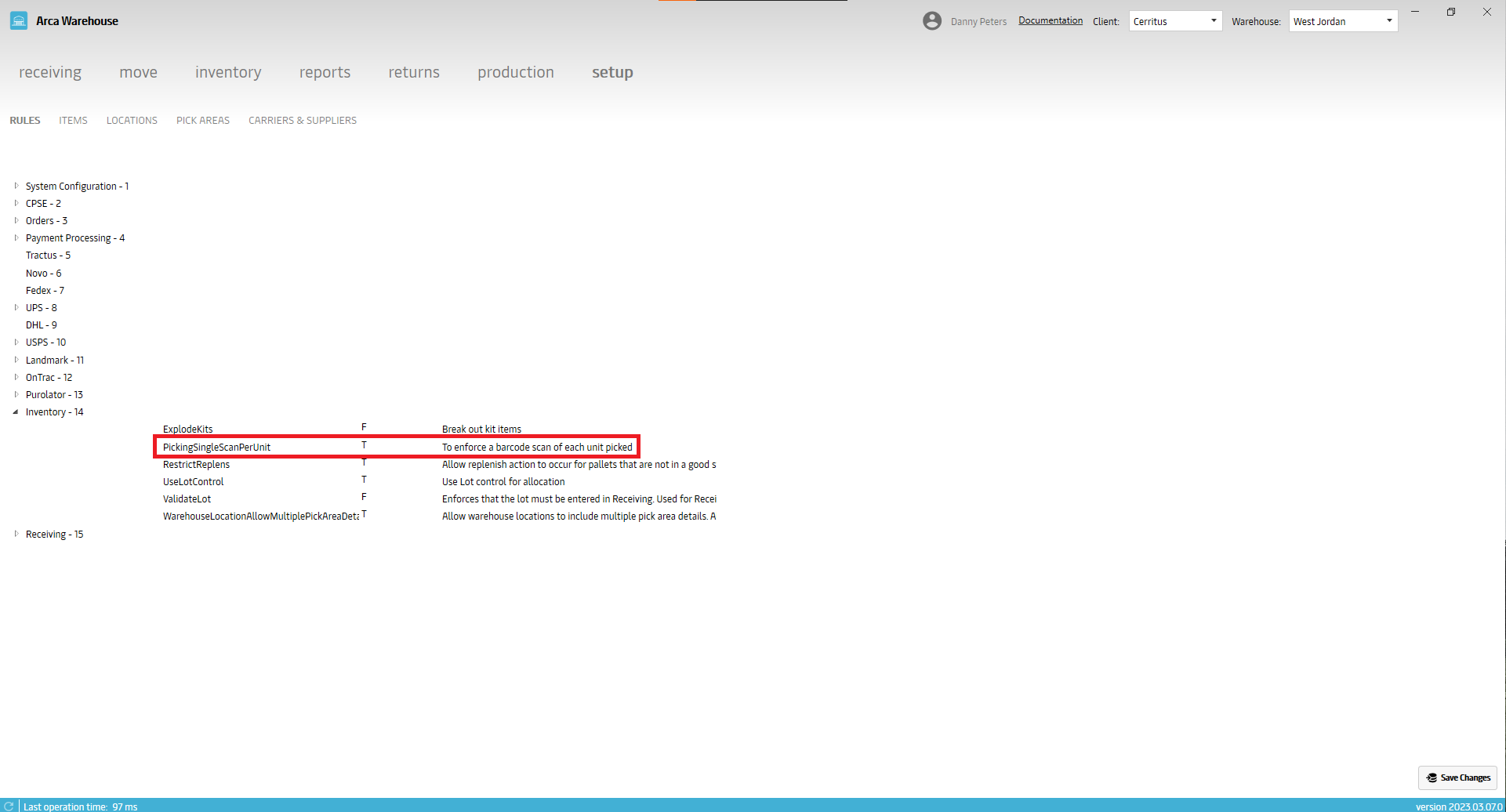
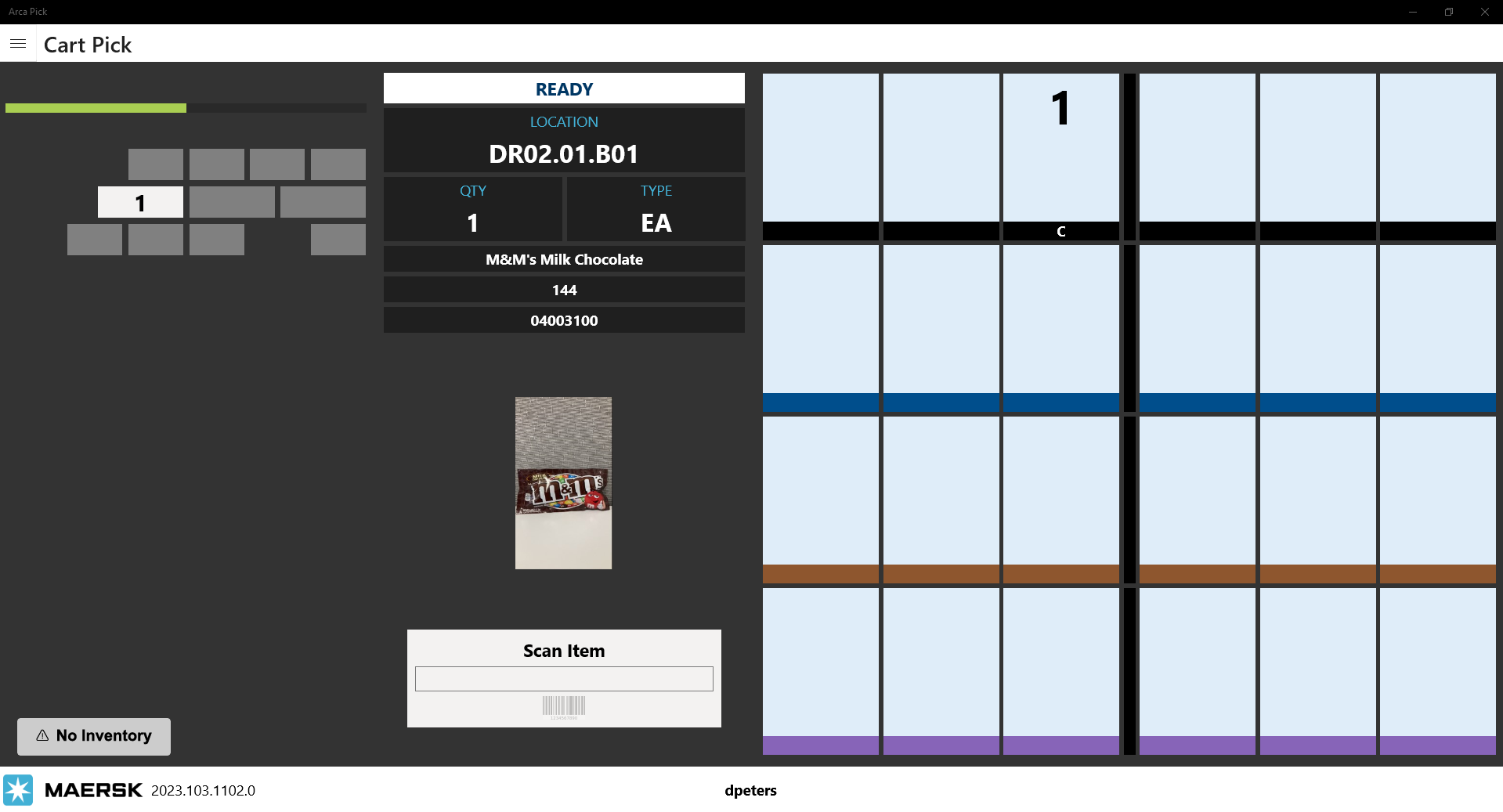
Pick has one feature change, support for single scan rule in the cart picking station. The rule is called PickingSingleScanPerUnit, it is in the Inventory group on the Rules page. When that rule is turned on for a client, cart pick changes from tapping the screen or clicking the forward/next button to pick the item(s), to using barcode scans. They must be scanned individually. If you have a quantity of 5 for the item, then you have to scan 5 times.
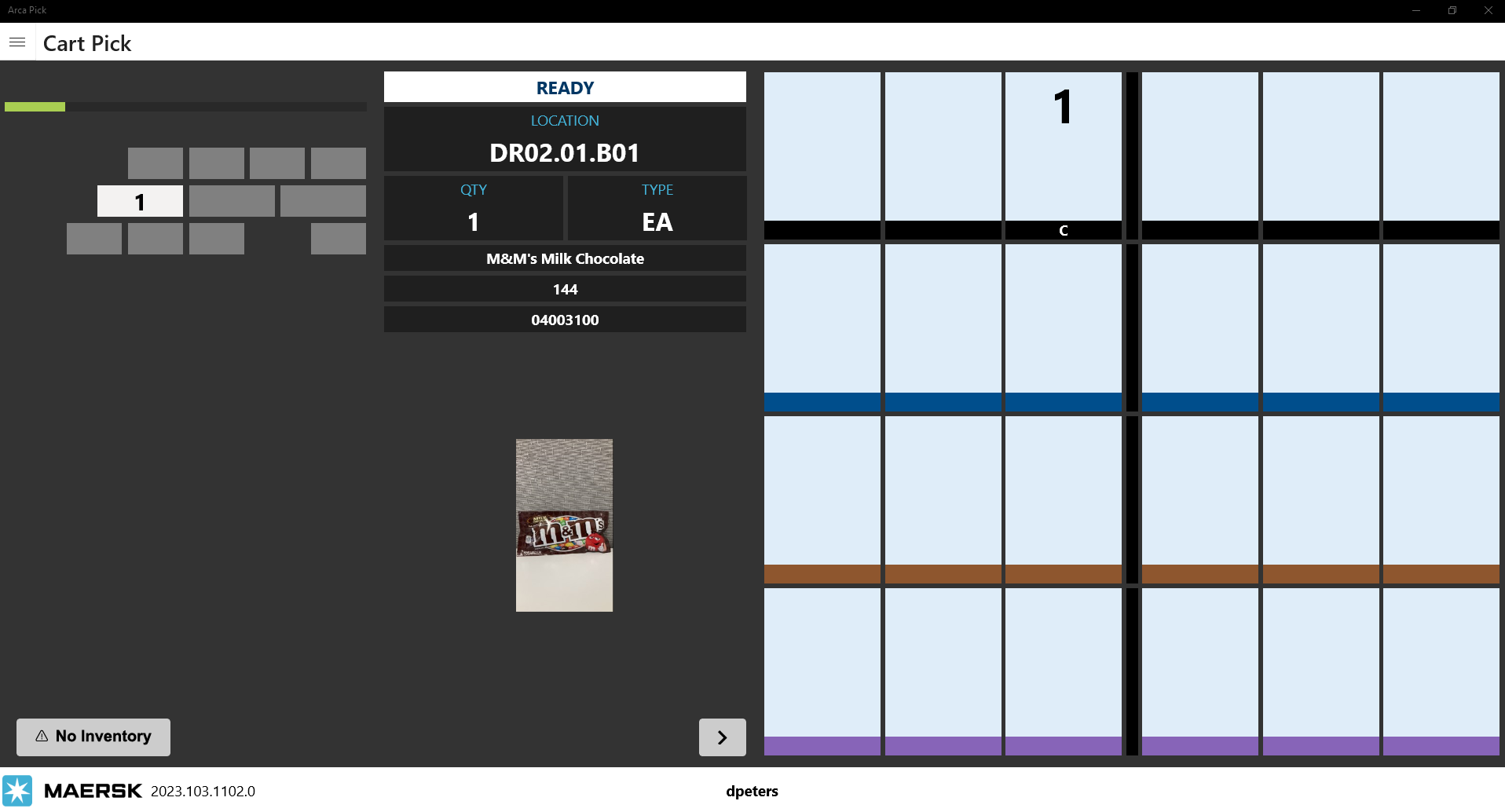
Here is the original cart screen, when the rule is off.
Here is the new cart screen when the rule on. The forward and back buttons are replaced with a scan box.
1/9/2023
V2023.102.1093.0
Feature changes in this build:
- Security login
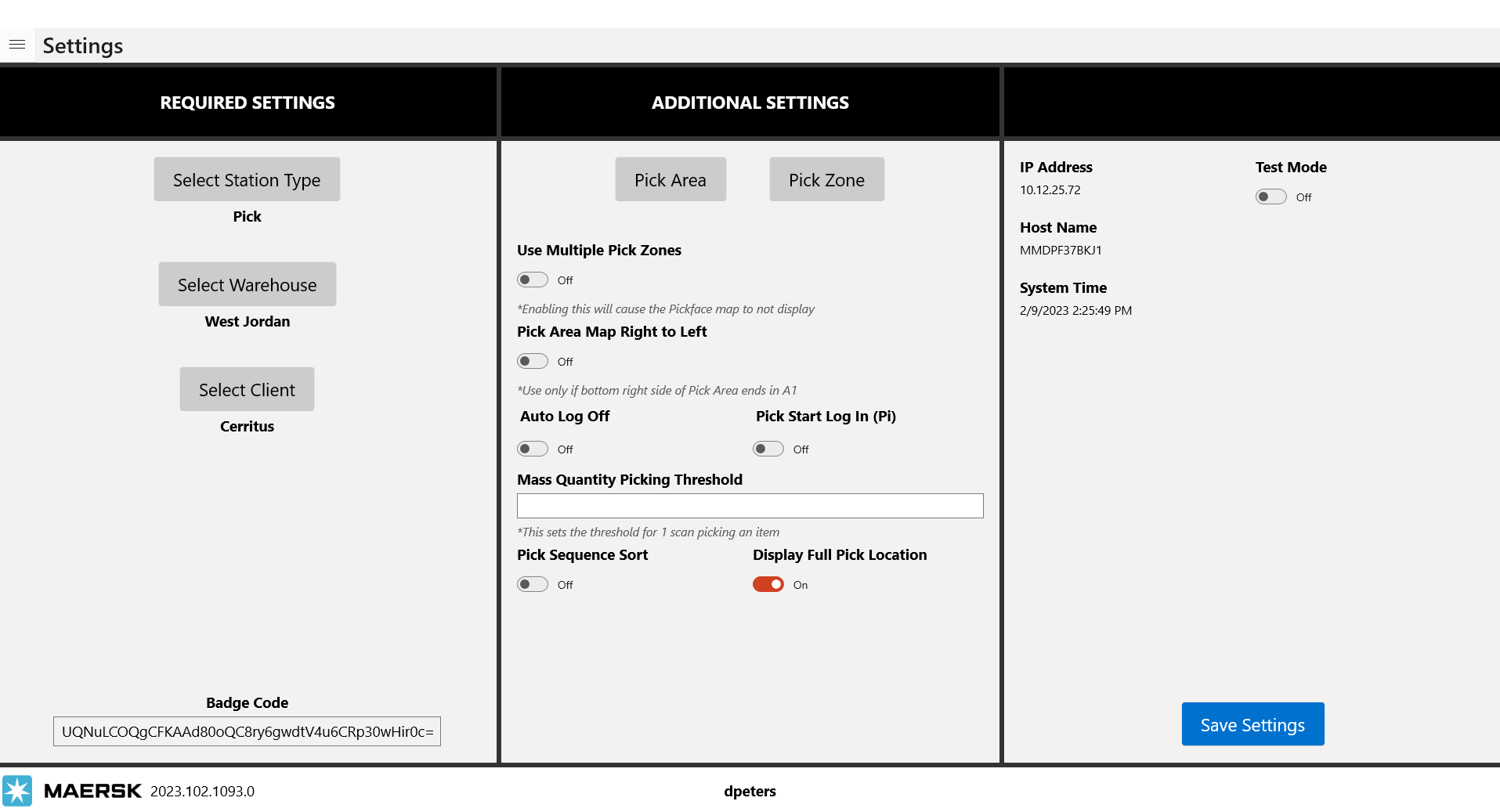
- New settings for Pick Sequence Sort and Display Full location name
- Cart Pick across multiple pick areas
- Support for multi serial number scans
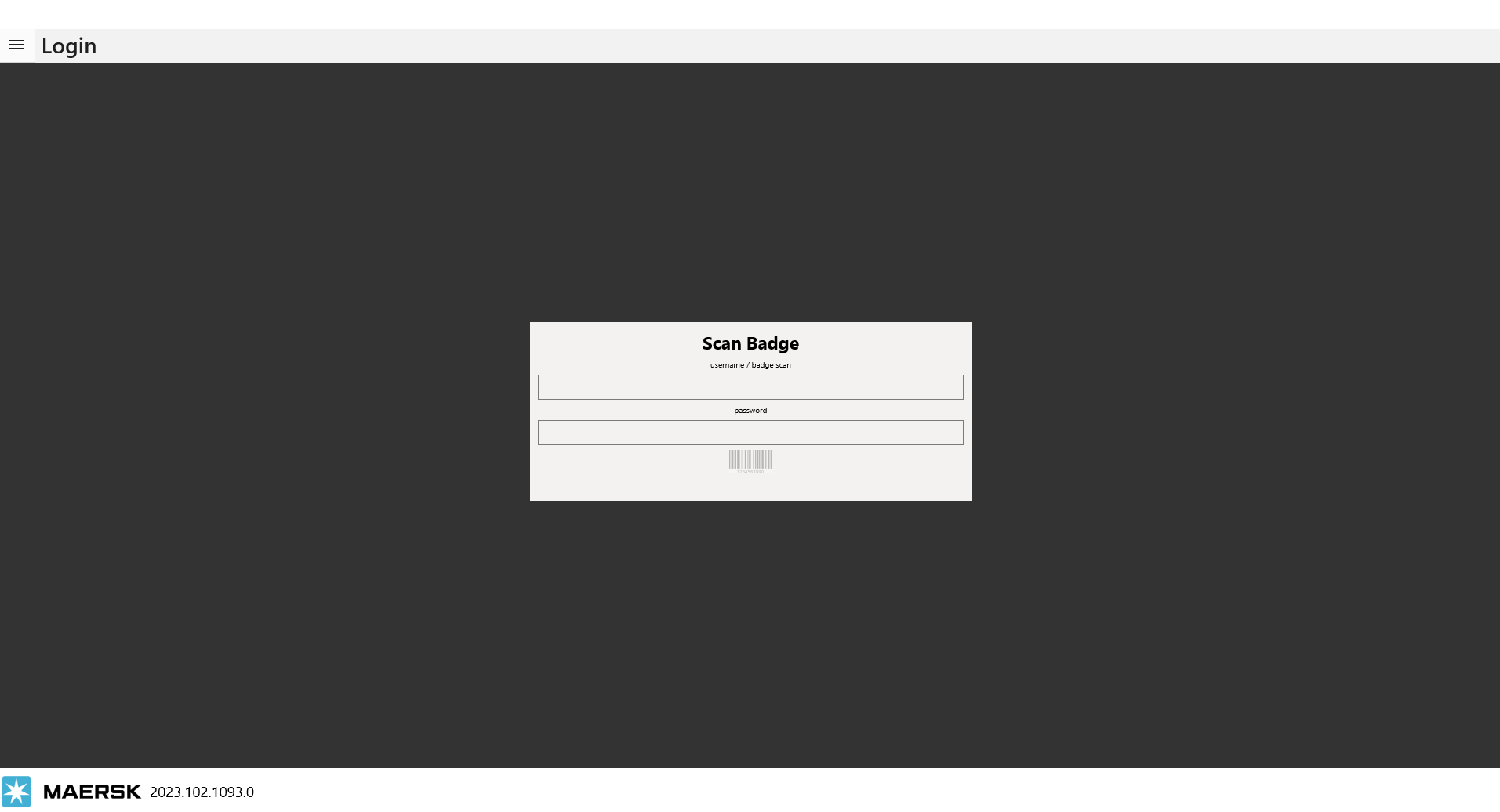
Badge Scan
Log in screen has security changes, you will now need to have an Arca login to use the pick app. This would use the new badge printing screen that we rolled out in LOC a bit ago. User will need to scan their badge barcode that contains their username and password to log into the app. You can scan the barcode or manually type in username in line 1 and password in line 2.
New setting for Display Full Pick Location. If you turn this setting on, on the picking screen you will see the full location name. DR01.02.B03 vs just 02.B03. When applied this setting will be in effect for all pick stations: Pick, Cart and Super Totes.
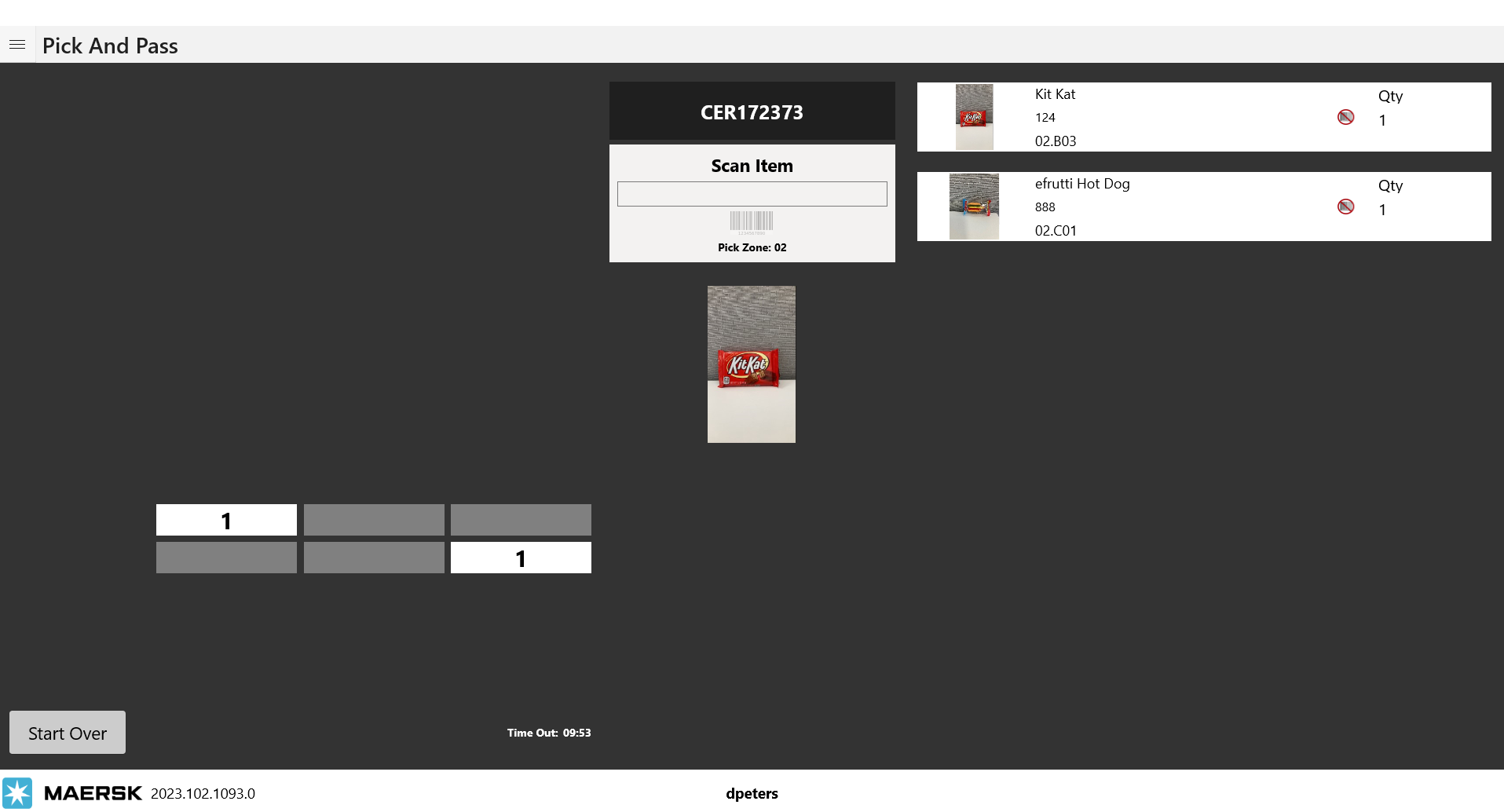
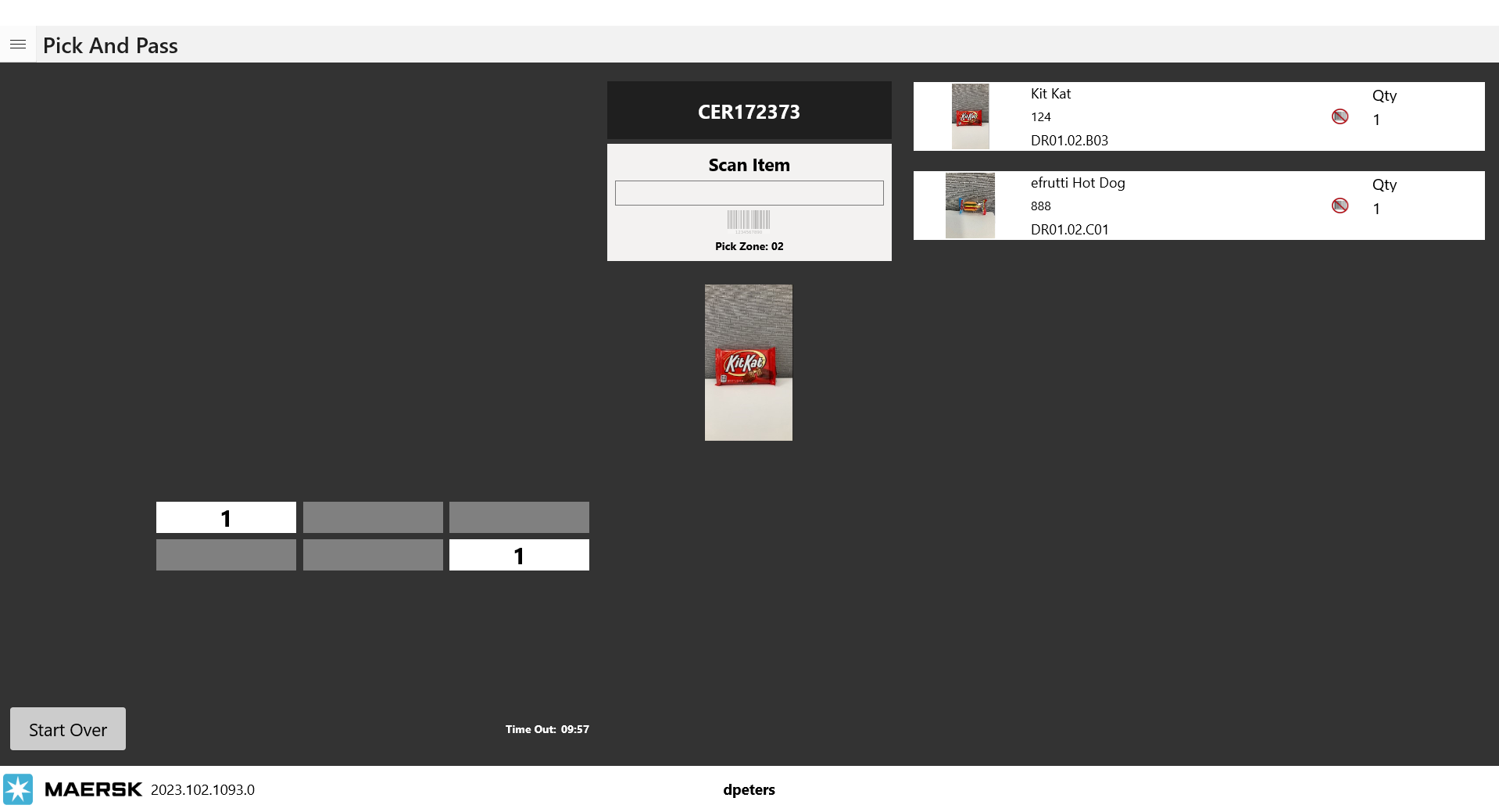
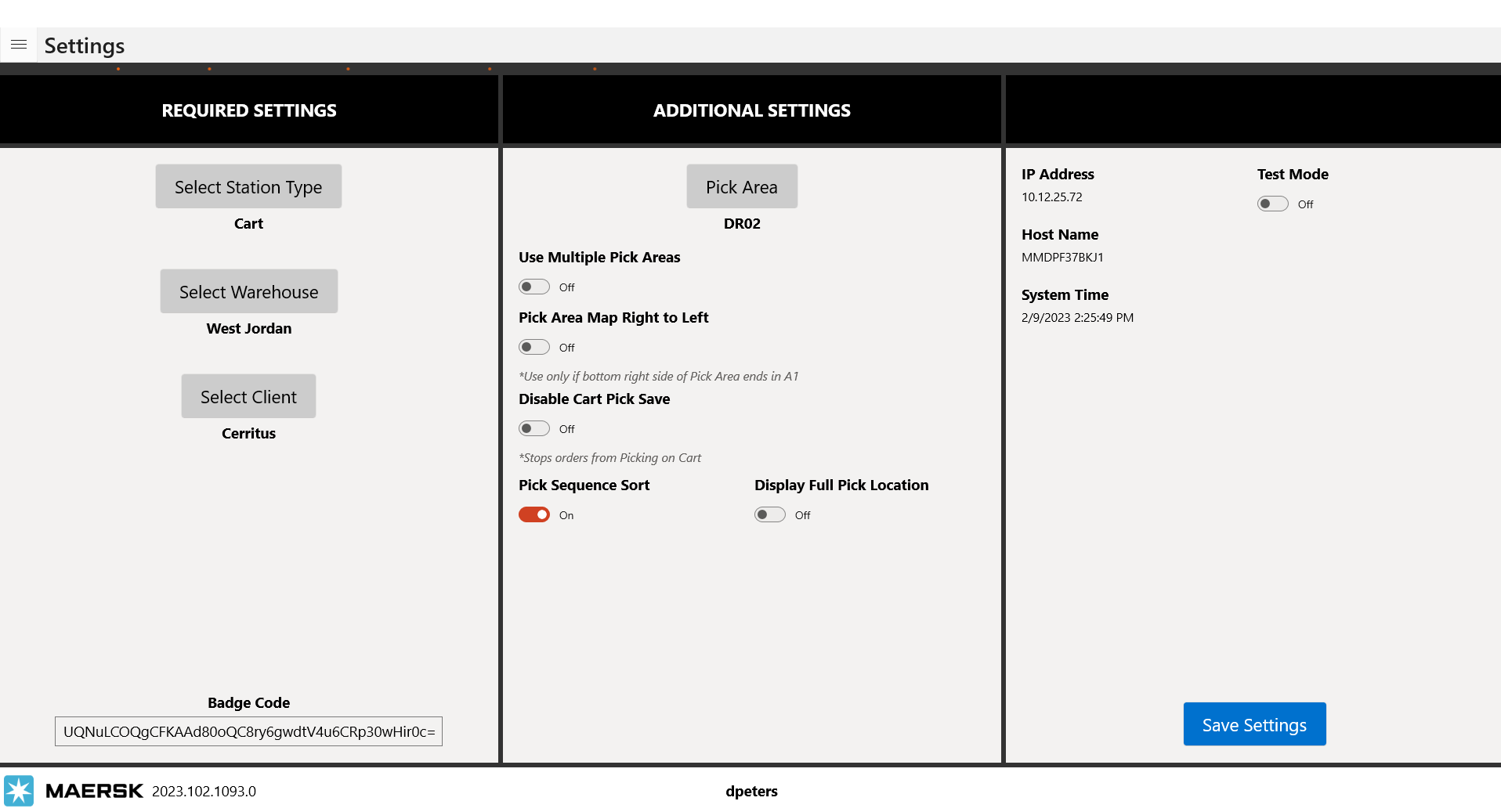
Pick Sequence Sort
When active, this setting will change the pick path for Carts and Super Totes picking. With it turned off the pick path will follow the normal sorting flow DR01.01.A01, DR01.01.A02 and so on, if the setting is turned on they you can specify a new order for the pick path to follow by setting the sequence ID to a higher value. *Currently there is nowhere warehouse users can edit these values inside of the LOC or Warehouse apps. Support will have to work with IT to edit these values in the database.
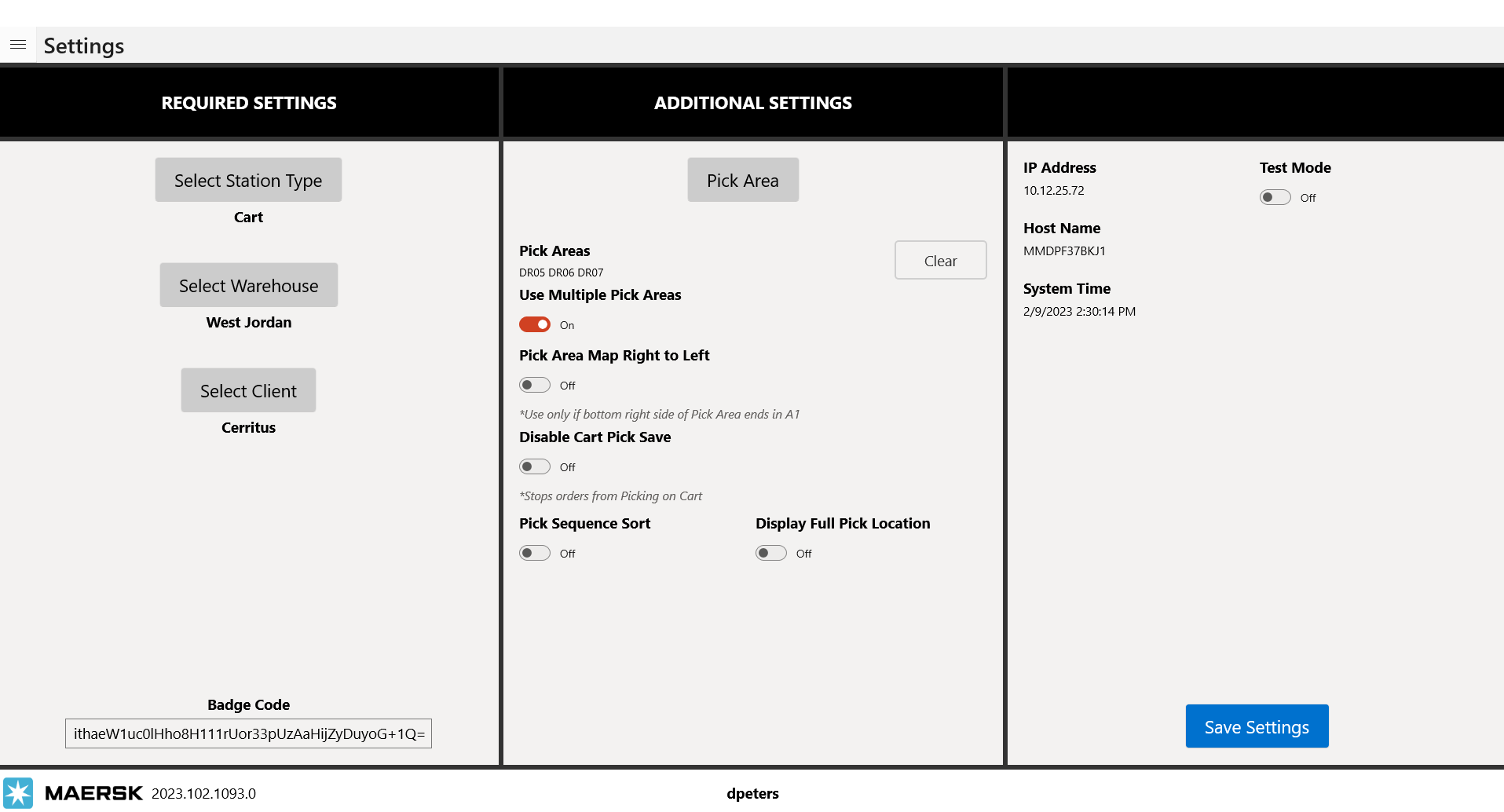
Cart Picking Across Multiple Pick Areas
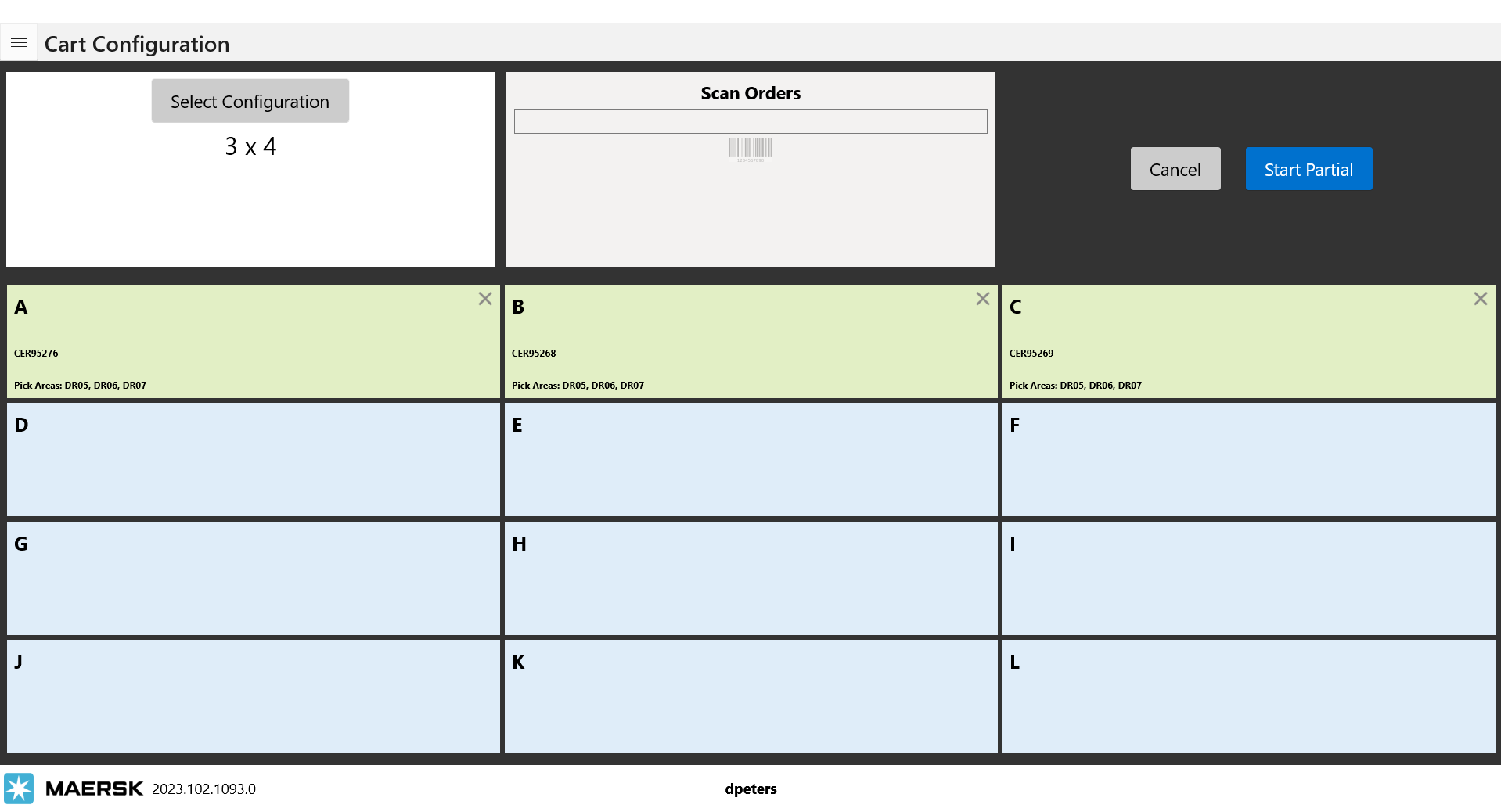
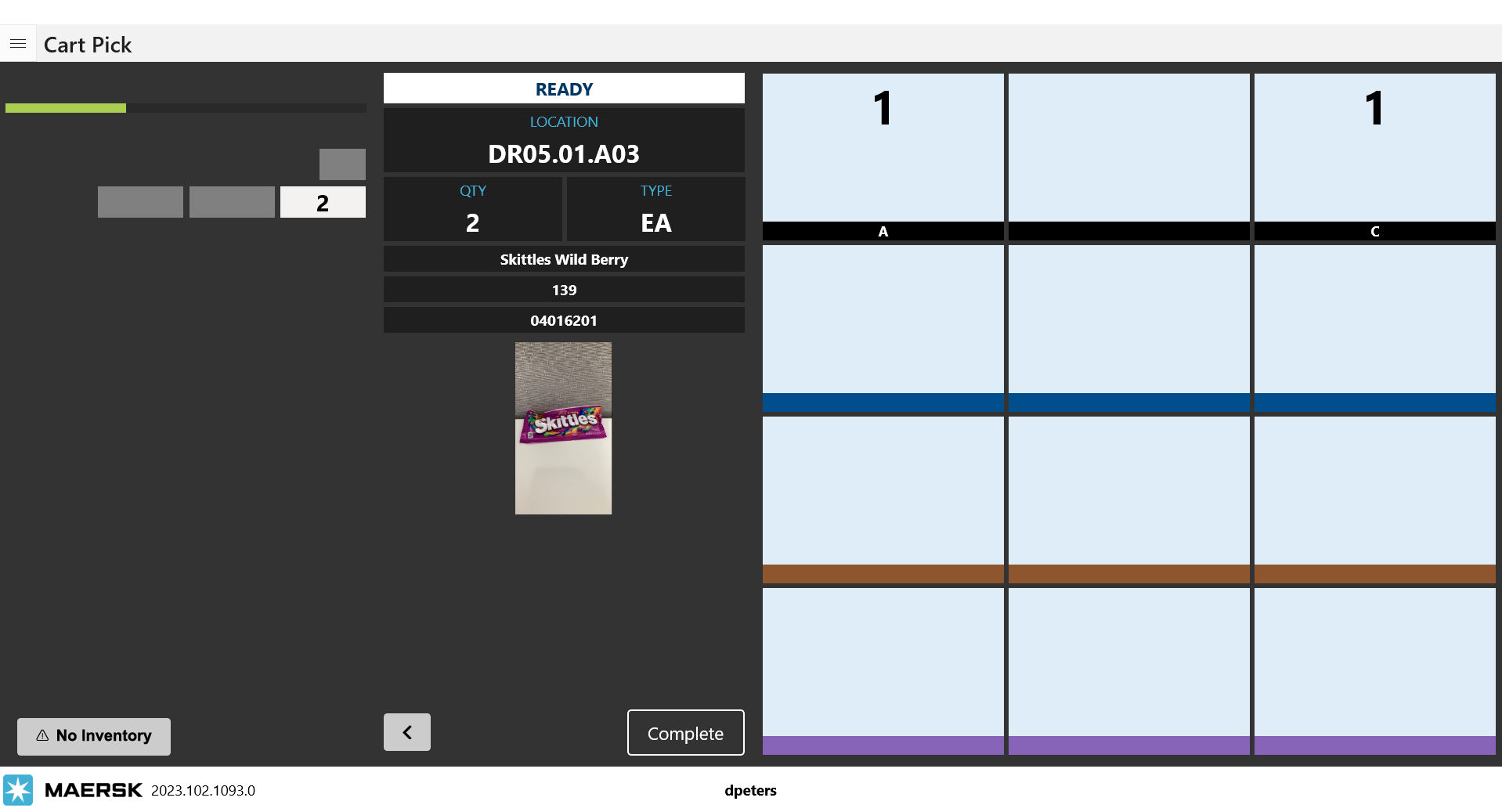
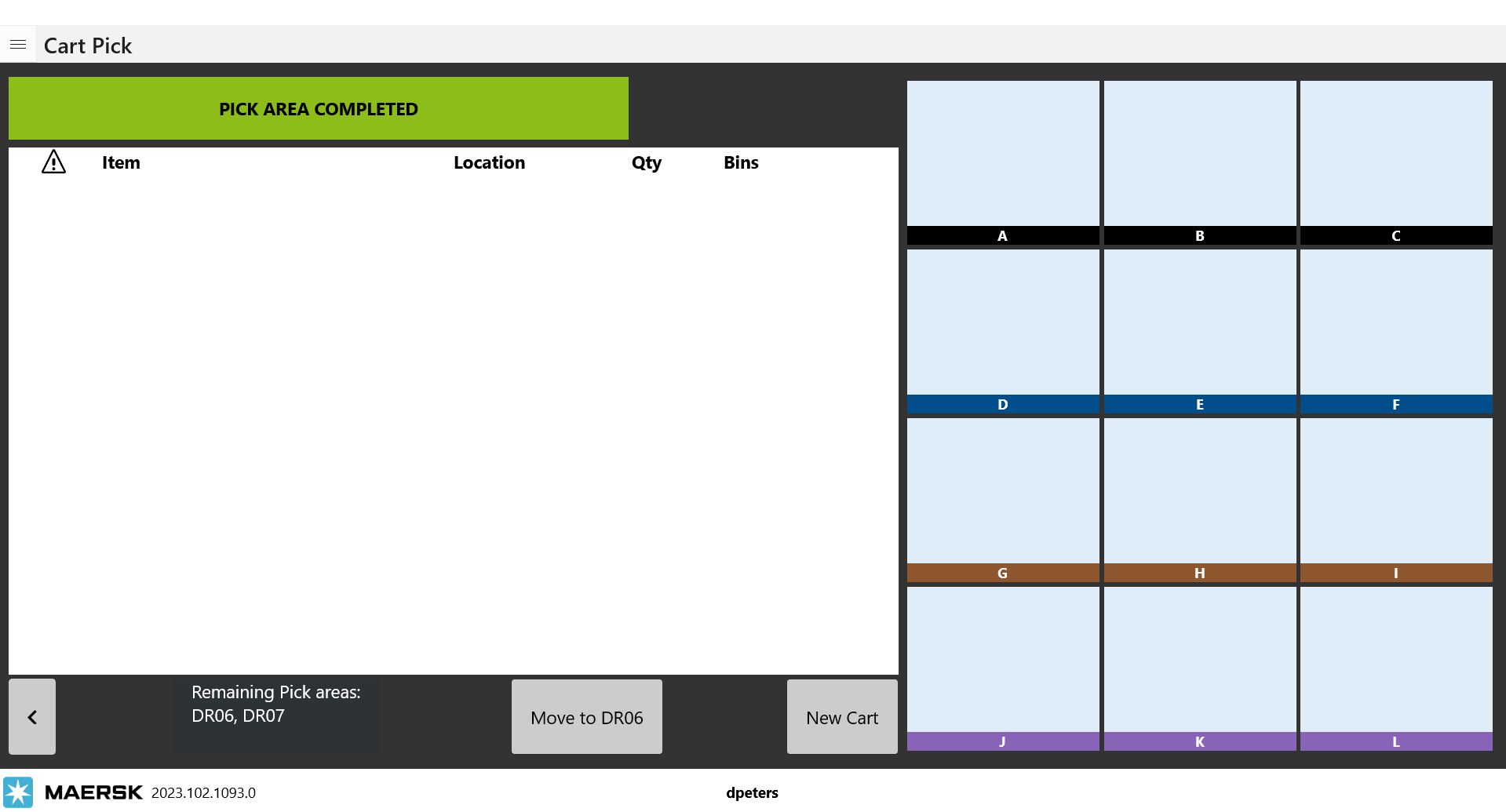
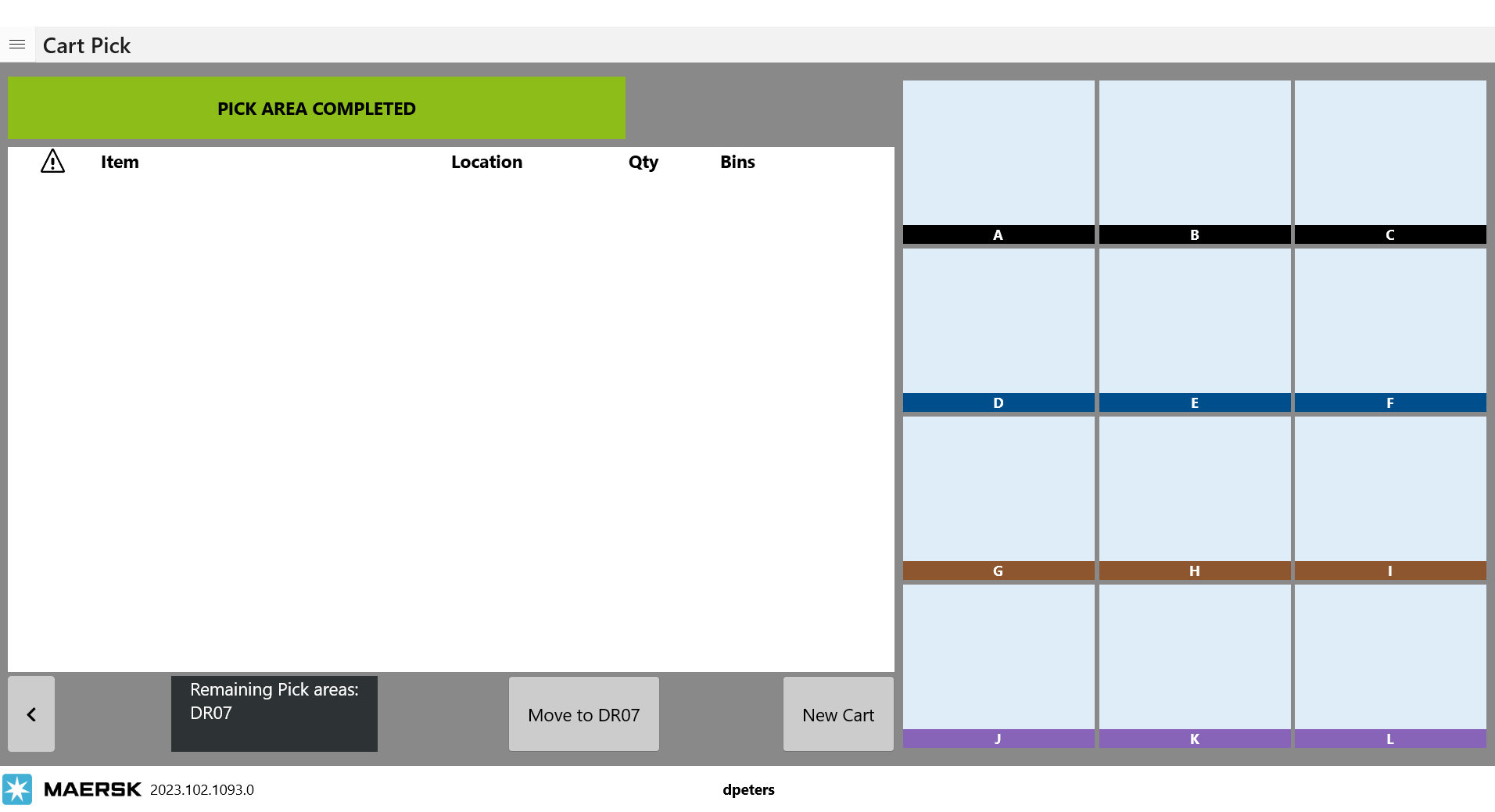
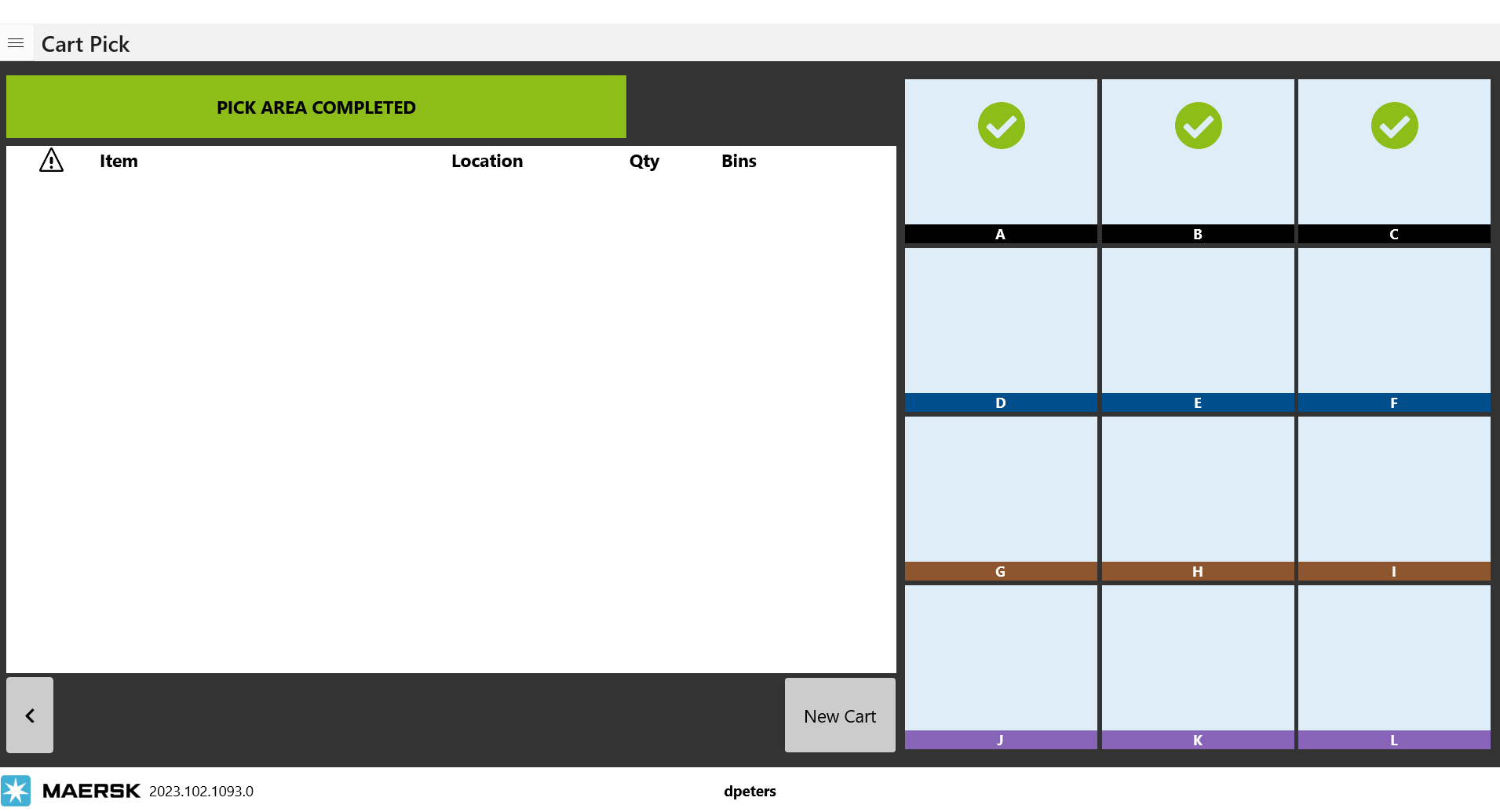
We now can cart pick orders that were allocated across multiple pick areas. When you turn on the setting you can now select the pick area button and chose a pick area to be added to the list. You can add as many as you need for the orders to be picked. Clear will wipe out the list and new pick areas can be selected. This is the same way that use multiple pick zones works for the pick station. Make your selections and save the settings. On the cart configuration screen as you’re scanning in orders you will now see they list the pick areas where the items are located. Picking is now done by pick areas (or zones in some warehouses terminology.) as you pick through the cart the first time the complete button is sown is just the completion of that pick area’s items and not the completion of the whole cart. After clicking complete for the first time, you will see it listing out the remaining pick areas to be complete and you must click on Move to next … button to begin picking in the next pick area. Once all the pick areas have been complete, the final complete button will take you to the cart complete screen where you will see the green validation check marks for complete orders and any item(s) that were selected as no inventory.
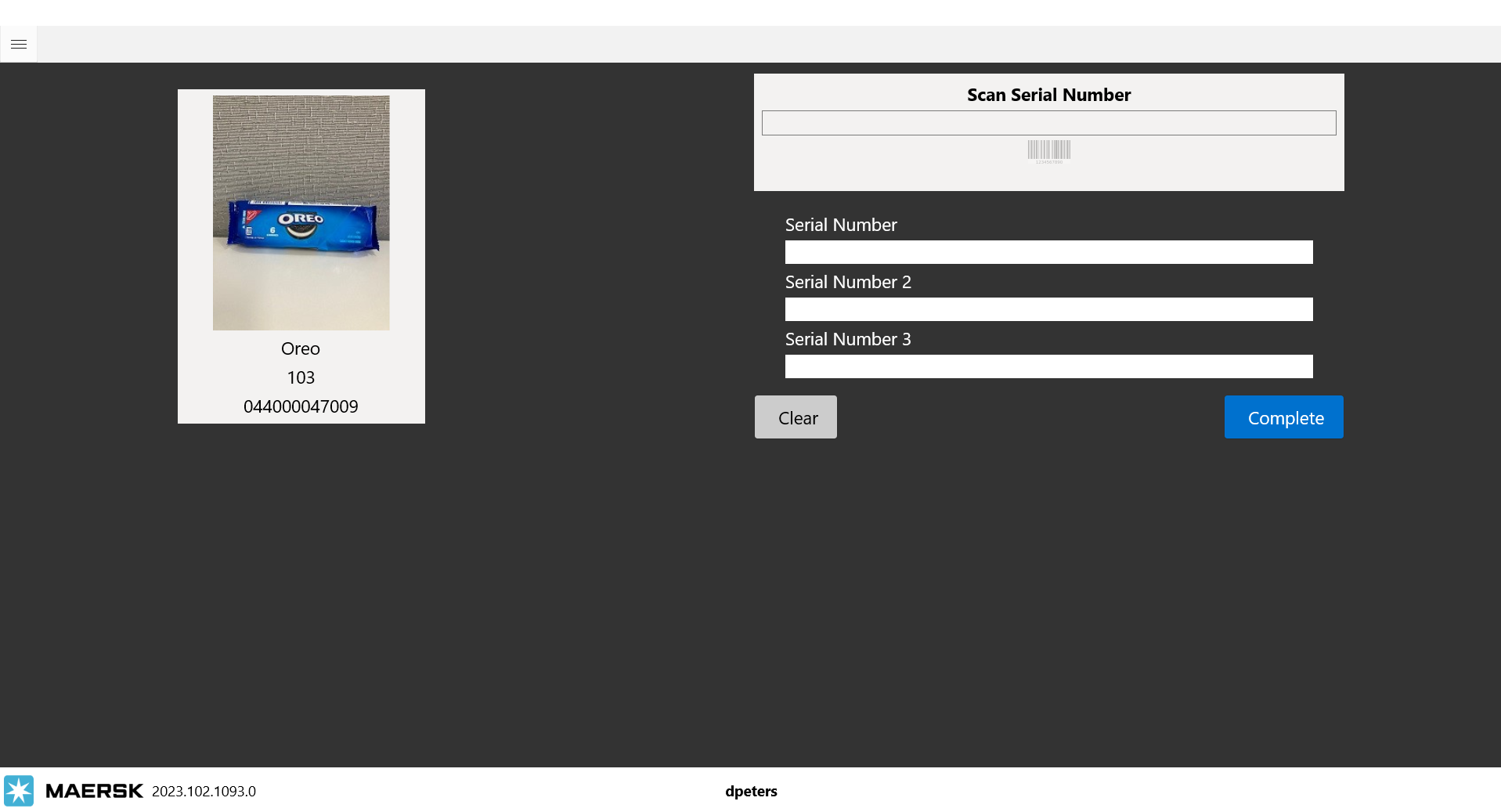
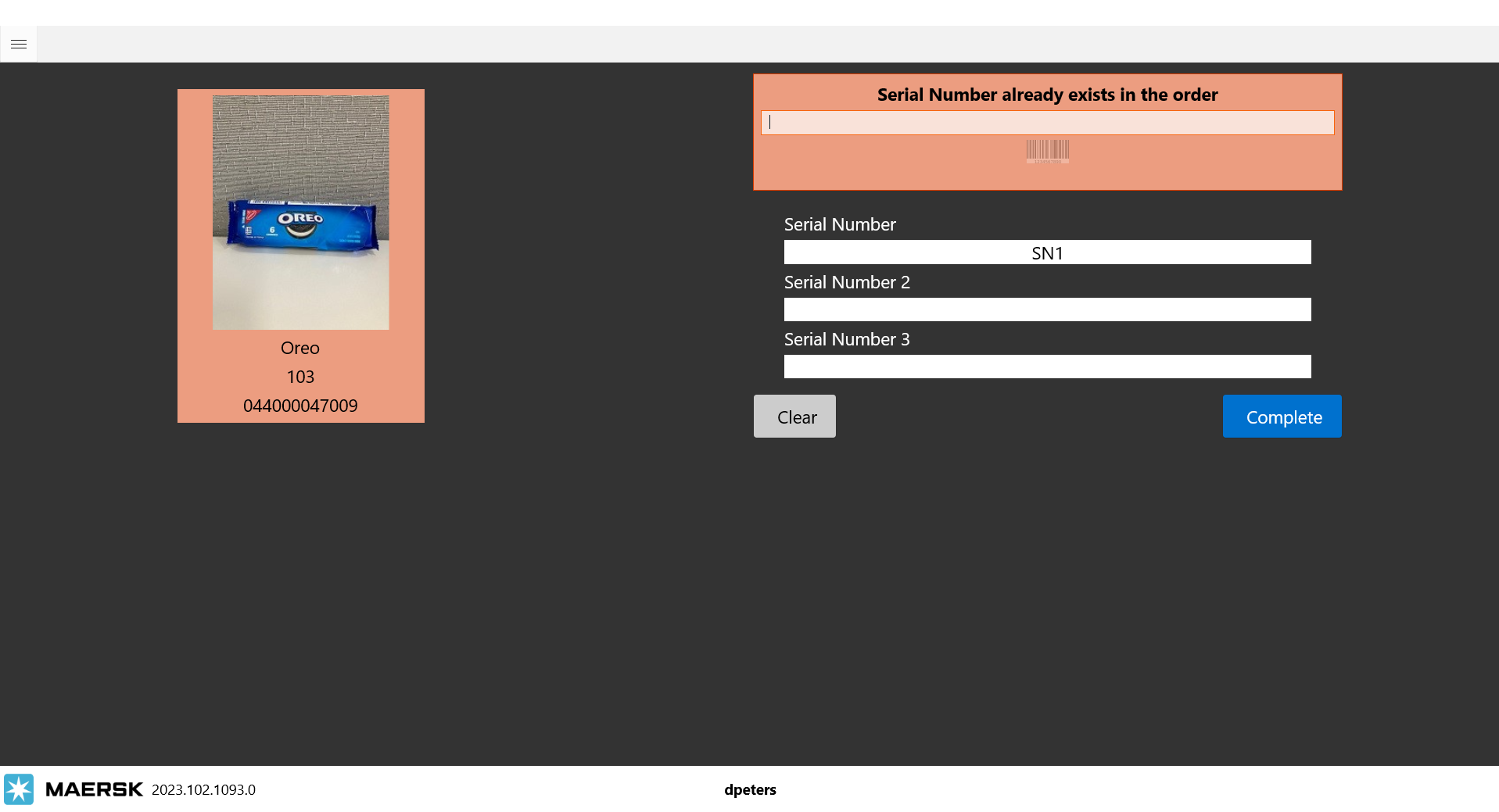
Serial Number 2 and Serial Number 3 scans when picking. This is not a setting to turn on/off in the app individual items must be set up in the database to allow for multiple serial scans. *Currently this is not exposed on the item set up screens in LOC or Warehouse apps. If needed support to work with IT on updating any items. If an item is set up to accept multiple serial scans the new UI will show additional scan boxes. Each of these serial numbers must be unique. If you enter SN1 for Serial number, then try to enter SN1 again for serial number 2 you will be shown an error. The actual numbers on the various items will be unique so we’re preventing a user from scanning the same one over again just to get past this screen. If you hit clear it will wipe out all of the entered scans and all numbers must be scanned in again.
12/21/2022
V112.1082.0
New Business Rule
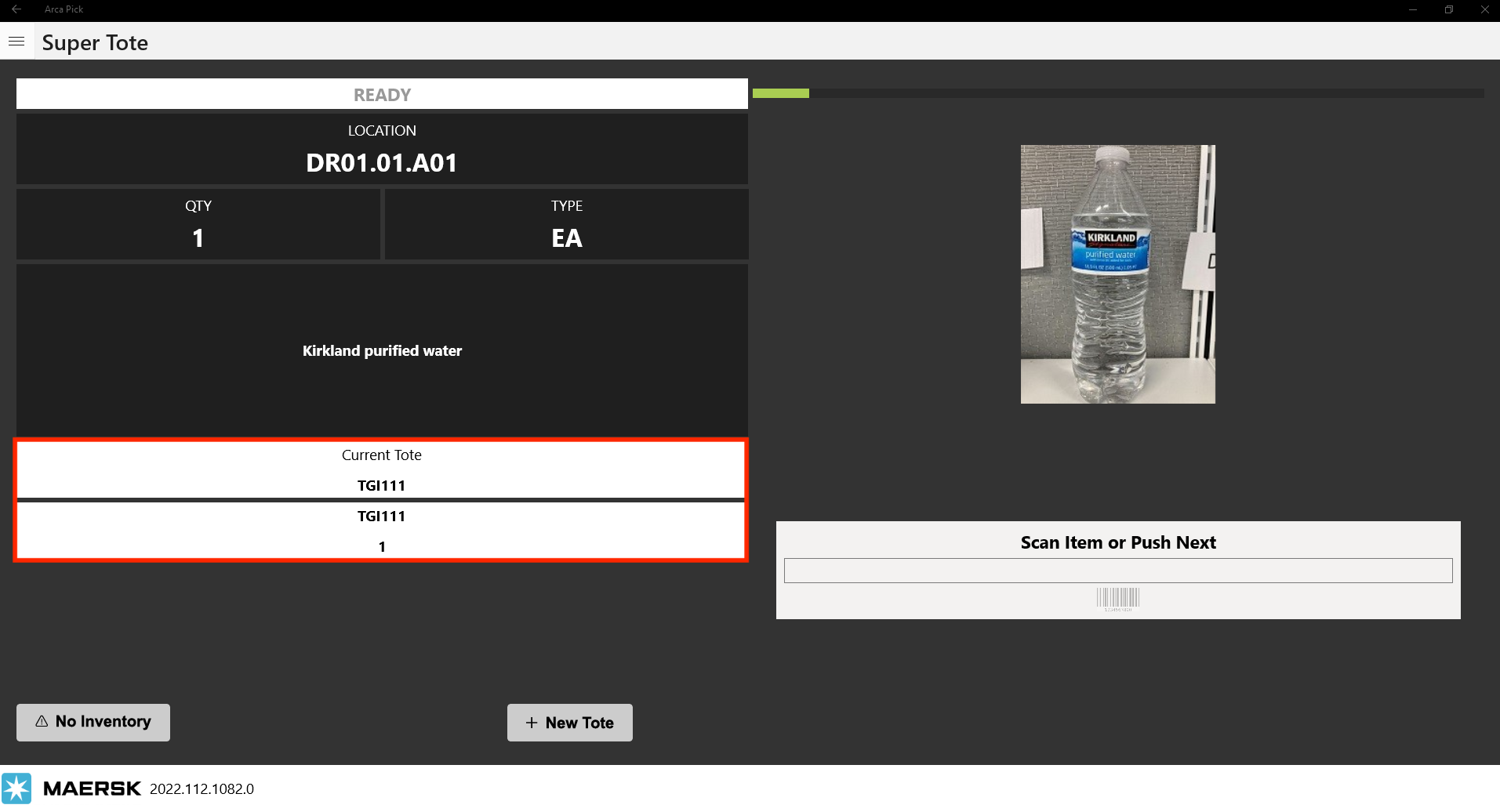
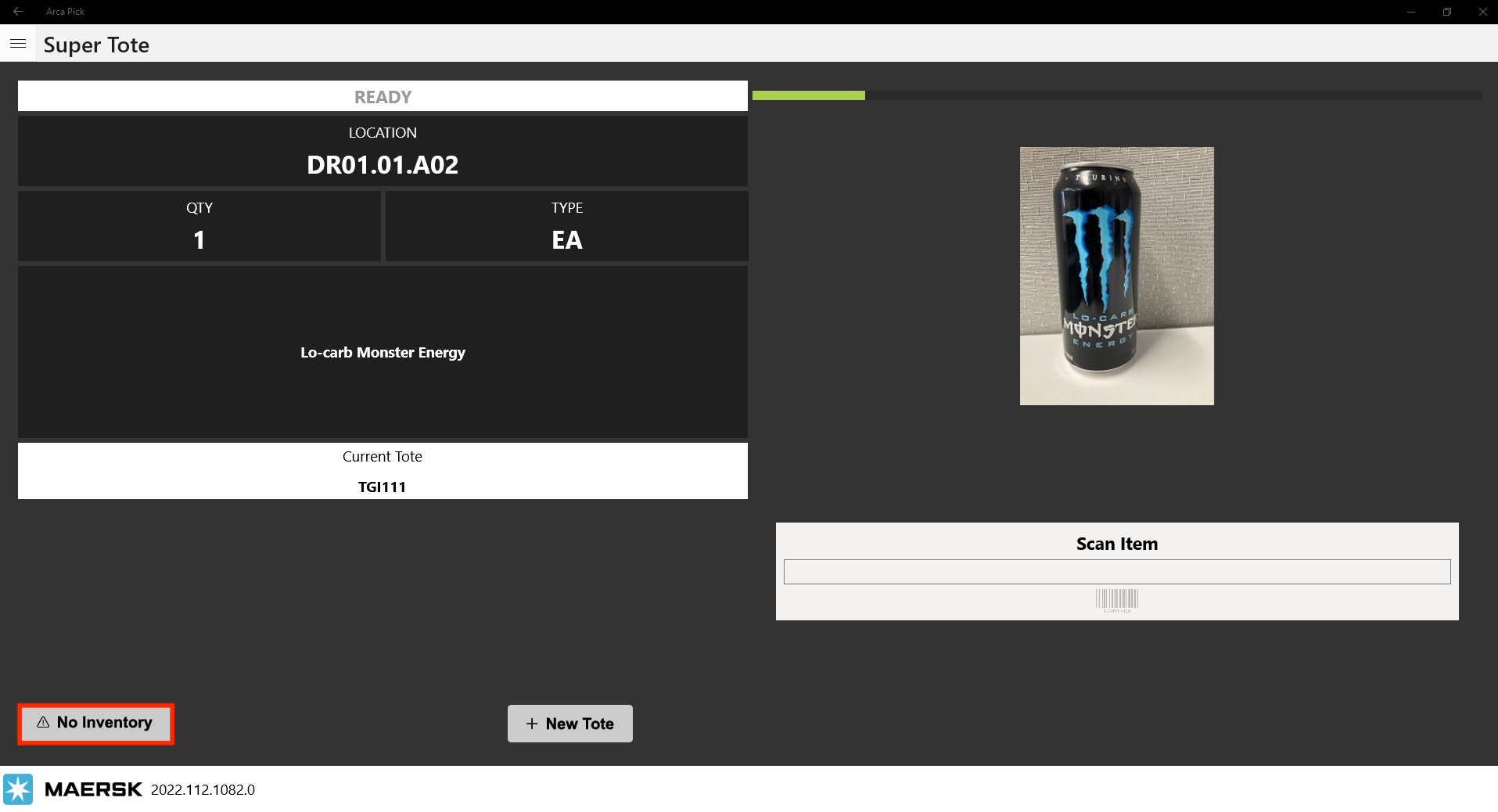
The rule name is PickingSingleScanPerUnit. (Remember you can view if the rule is on/off in LOC or Warehouse.) If this rule is turned on then a picker is required to scan a barcode every time you pick an item. With the rule off, the base flow allows a user to scan once and pick a quantity of more than 1. Each item scan will reduce the quantity to pick by 1, and additionally the No Inventory button functions as a single action. For example if you're needing to pick 3 of an item, but the pick area you're at only has 1, a user would scan 1 barcode, then be required to click on the no inventory button twice before progressing to the next item in the wave. For UI changes, we've added a Current Tote line and as you're picking the wave the quantity of the item you're on is shown as well. With the single scan rule turned on, the forward and back buttons are hidden in an attempt to let the user know that they're required to scan and won't be allowed to just click next and say I picked 3 of this item.
Error Code
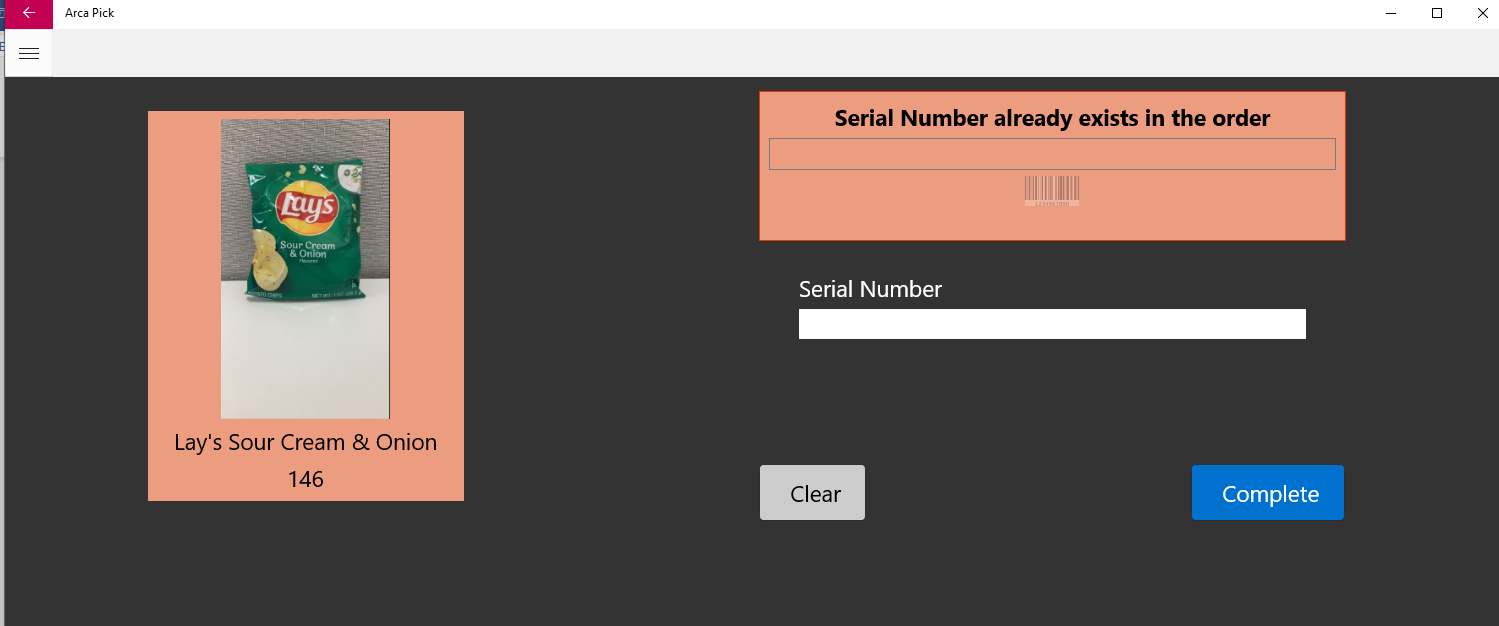
If a user tries to scan a serial number that has already been scanned, it will display the message below.
12/16/2022
V112.1082.0
Cart Pick
When using cart pick, the pick sequence was out of order. We were able to figure out the issue there and fix it. Everything should be flowing in order now.
5/1/2022
| Lego.UWP_2022.104.1052.0 |
|---|
| 1. Fixed scanned barcode |
| 2. Fixed saving same item scanned multiple times in JobContainer table |