ARCA Warehouse
1/27/2026
V2026.1.23.0
- Returns - Bug fix when creating a return from an existing order that wasn't saving expiration dates.
Previous Release Notes
8/29/2025
V2025.8.13.0
General – Backend code updates for security lockdown.
General – Backend code updates to pallet and packslips endpoints.
Setup/Pick Areas – bug fix when creating a new pick area.
5/22/2025
V2025.5.20.0
Move/Replenish/Pick Location to New Pallet - Bug fixing the error message when attempting to move allocated quantity out of the pick location.
Setup/Items – Bug fixing minor display issue for auto hold days before expiration drop-down menu.
General – Removed the Test option from the Environment selection.
5/1/2025
V2025.4.31.0
- Move/Directed Replenish – added new column to show the number of impacted orders in Waiting For Allocation jobs.
4/18/2025
V2025.4.15.0
General – Backend mapping updates for loading and switching clients.
General – Backend updates to print from pallet zpl setup.
Receiving – Added column to show pallet’s total quantity.

2/27/2025
V2025.2.21.0
- Setup/Items – New feature, added check boxes to flag items as Is Fragile and Quebec Item.

Returns – updated backed to load orders from a warehouse other than the current users default warehouse.
Reports – When in the Staging environment, reports point to our sandbox reports.
1/23/2025
V2025.1.21.0
- Setup/Pick Areas – Added column to display Allocated Quantity in Pick Area Details grid.

- Inventory/Adjustments – Added new Expired reason to the drop-down list.

- Move/Directed Replenish – Added a new Close Job button.

11/7/2024
V2024.10.16.0
General - Backend code updates for new order types.
General – Backend code updates to log username on item save/update.
Production/ Work Orders – mapped code to updated cancel work order Api call.
Move/Replenish *New Feature release – Pallet to Pick Location, added Availability button. Gives the user the option to select a pick location from a list based on the selected item.

9/5/2024
V2024.9.5.0
Inventory/Inventory – mapped new security feature to edit and add new pallet buttons. Access is restricted to those with this feature attached to their user role.
Returns – backend code update to load list of return reasons dynamically. This improves app performance.
8/8/2024
V2024.8.8.0
Inventory/Inventory – Item Ledger tab. Internal code updates to make ledger adjustment reasons load dynamically. This improves app performance and lists all the ledger entries.
Inventory/Inventory and Quarantined Pallets – New feature release, added drop-down menu for Hold Reasons. Columns added to display the hold reason on Inventory screen, Main and Pallets tabs and the quarantined pallets screen.


6/27/2024
V2024.6.27.0
Production/Close and Produce – Bug fix to block a user from creating more pallets after the work order has been closed. (Reminder that if you produce short and still have picked quantity remaining you can continue producing as long as the work order is still in in an active status.)
General – Bug fix for when the app is running in dark mode and text color didn’t update.
6/21/2024
V2024.6.20.0
- Move/Directed Replenish – New feature release. A screen designed to guide the user through replenishing pick locations and slotting missing items for orders in Waiting for Allocation status. *Note that the MIN radio button is currently disabled while the process is still under development.

- Setup/Item – New feature release. Added new Item Turns Type menu for the user to specify FEFO/FIFO settings on an item.

- Production/ Close and Produce – bug fix to allow order load when parent item type has been changed. This allows a user to load the order and edit/save metrics.
5/8/2024
V2024.5.7.0
Receiving - Bug fixes, item substitutions are now available during manual receiving.
Setup/Item - New template for item .csv upload.
Inventory/Inventory - fixed paging load for pallets.
Internal updates for PDF printing.
4/10/2024
V2024.4.11.0
Receiving – Hot fixes for Item Substitution error.
Setup/Items – Added new tab for Barcode Exceptions.

- Move/Replenish - Fixed some pallet save logging for missing User Actions.
4/3/2024
V2024.4.2.0
- Receiving – Bug fixes for Item Substitution and changed Load ID column to Truck ID.

3/20/2024
V2024.3.20.0
- Setup/Items – Item Substitution changes. Added new columns to display Rank and Country.

2/27/2024
V2024.2.27.0
- Receiving – Added Item substitution to Auto Receive ASN.

- Setup/Items – Added Item substitution tab.

2/15/2024
V2024.2.14.0
- Production/Work Orders – Added new tabs for Unbuild and Rework.

- Production/Close and Produce – Added Show/Hide Metrics button to improve screen real estate.

1/3/2024
V2023.11.7.0
Setup/Pick Areas - Fixed issue with pick areas not displaying for certain clients.
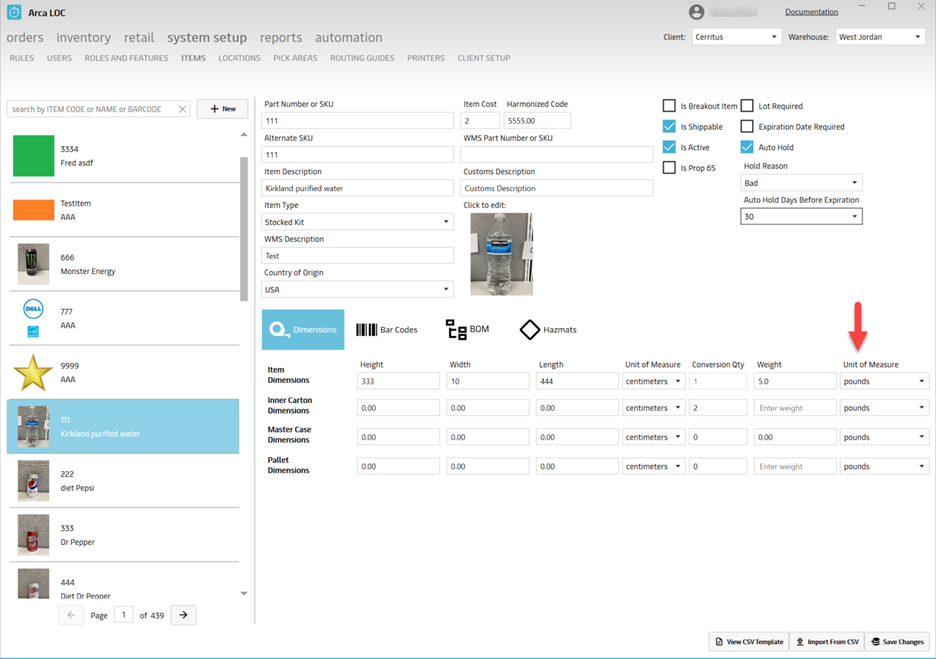
System Setup/Items – Dimensions: Default unit of measure to pounds.
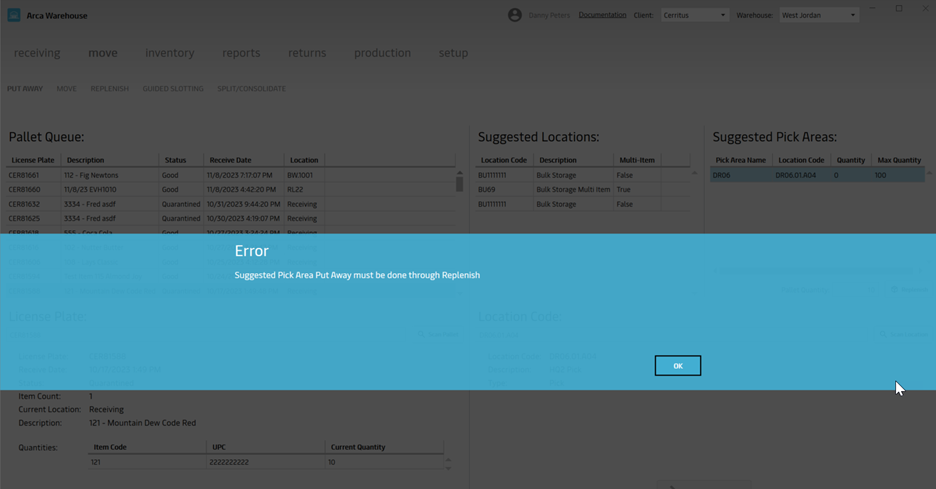
- Move/Put Away - Added a message to let users know to use “Replenish” button rather than “Put Away” button when moving to suggested pick area.
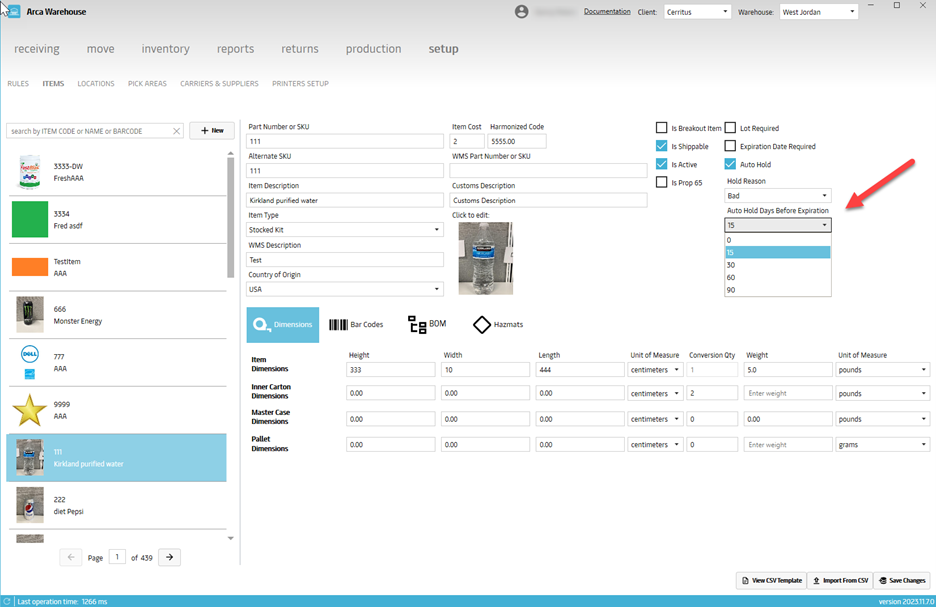
- Setup/Items – Add Auto Hold Days Before Expiration. Drop down gives options for 15, 30, 60 and 90 days. This is a way to notify clients that certain inventory will be expiring soon.
11/1/2023
V2023.9.25.0
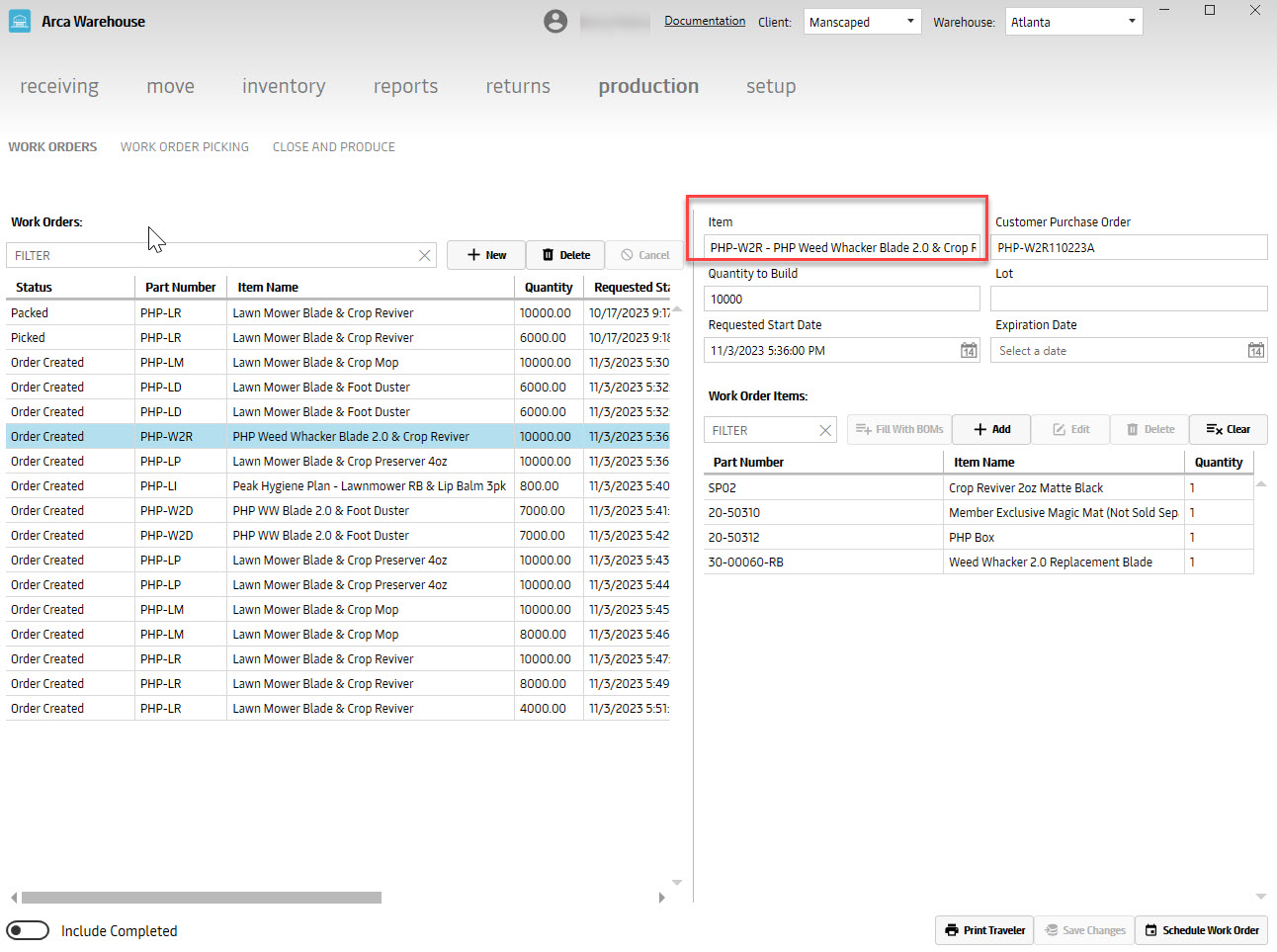
Hot fix to fix items display on Work Orders.
9/28/2023
V2023.9.24.0
Hot fix for the System Setup/Items - saving object reference error.
9/25/2023
V2023.9.22.0
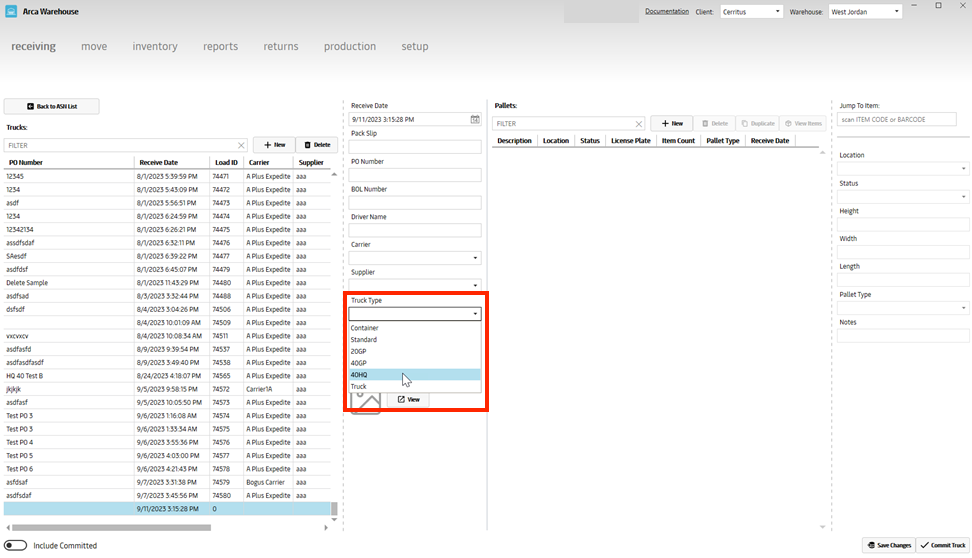
- New Truck Type 40HQ for Billing Events
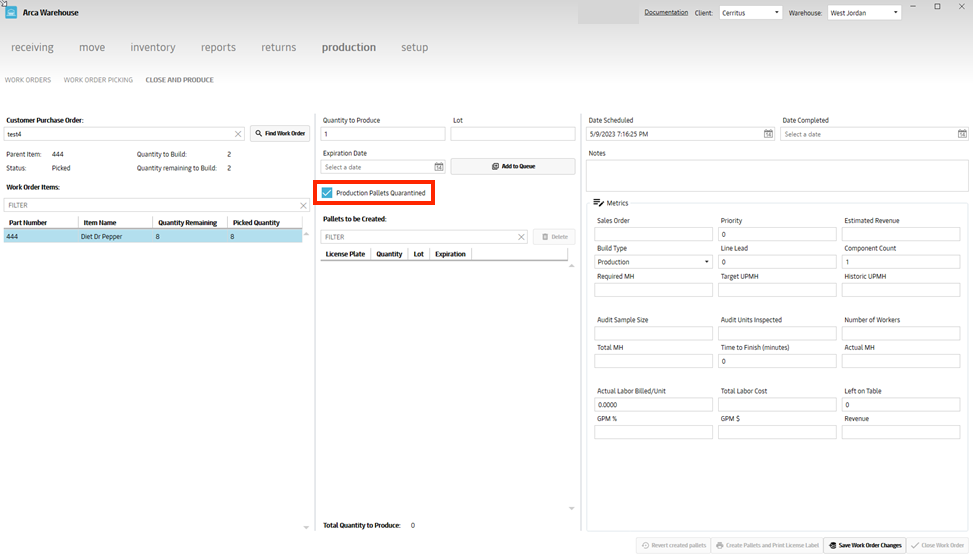
- Production - Close and Produce - Option to make new pallets built quarantined
If the production pallets quarantined box is checked, it will mark that pallet as quarantined for work orders. This is under Production/Close and Produce screen.
- Move- Split/Consolidate
Split allows to create a pallet/license plate into two licenses splitting up the quantity. Consolidate combines pallet/license plate into one combining the quantity.


- Returns Serial Capture: uniqueness, match item qty to scans and bad quantity
This was created for Canon in order to keep track of the unique serial captures. If you have a return that has bad item quantity, the user will have to manually select the bad quantity check box under item serials. If a user has entered multiple quantities for an item, the user will have to scan the same amount of serial captures as item amount. If a user has only scanned one return serial capture and has a quantity of 2, you will receive the error below.


8/10/2023
V2023.08.10
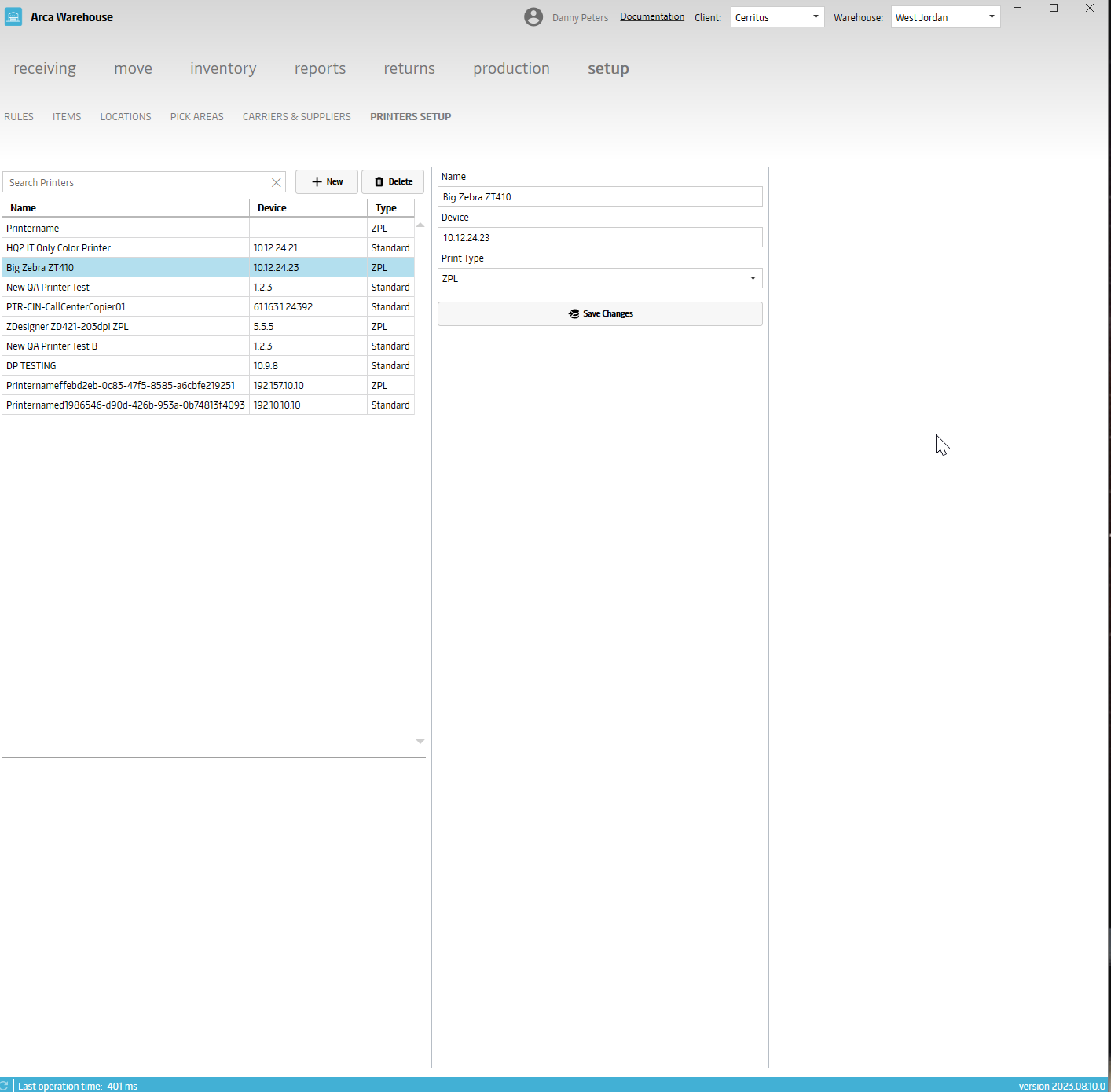
1. Printer Setup Menu - this allows a user to set up a printer so they can select which printer to use in the mobile app
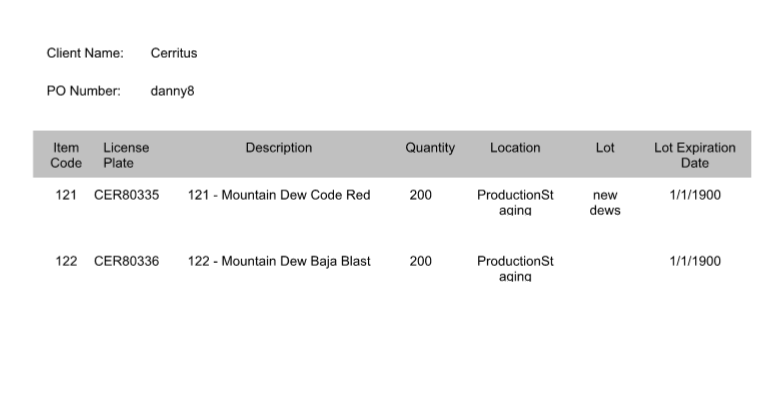
2. Work Order New Pick Report – This is under the Production section in the Work Order Picking section. The report displays the PO, item code, description, quantity, location, lot and lot expiration. (will be adding license plate to this report also)

3. Canon Serial Return Capture – In returns, there is now the ability to scan unique serial numbers for all returns. This functionality was designed for Canon which we will be sending the serial capture data to them (will be adding serial capture for bad quantity in near future)

Reports
- Added login for Reports

6/22/2023
V2023.6.22.0
System Setup/Roles and Features
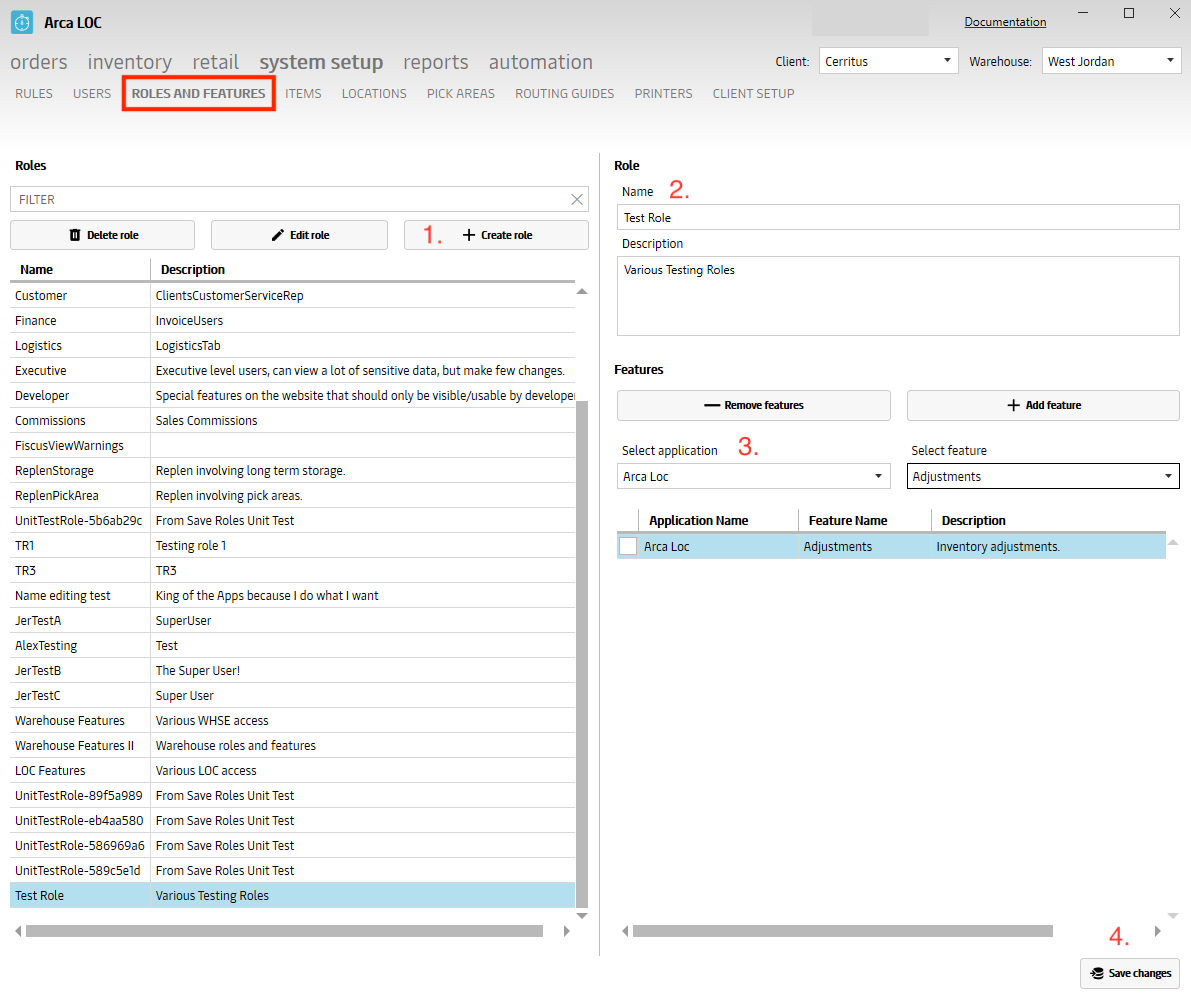
Various roles can be created in this screen. Depending on a person's responsibilities in their job description a role can be setup with the appropriate access needed. A new role can be created by adding various features from different apps like Warehouse and LOC (currently, we are still working on features for Pick and Pack). Each feature depending on if the user has access or not will be enabled/disabled when the user logs into the app with their credentials. At any time, features can be added or removed. You just need to click on the add or remove buttons then save the changes once the desired options have been selected. Also any new role that has been created can be edited or deleted.
To start off, everyone will be given admin rights. So, managers probably should make the adjustments as needed in order to remove access from users that do not require all admin access.
- Click on Create Role
- Add Name and Description then click on Add feature button
- Will need to select the application then select the feature
- Save the changes
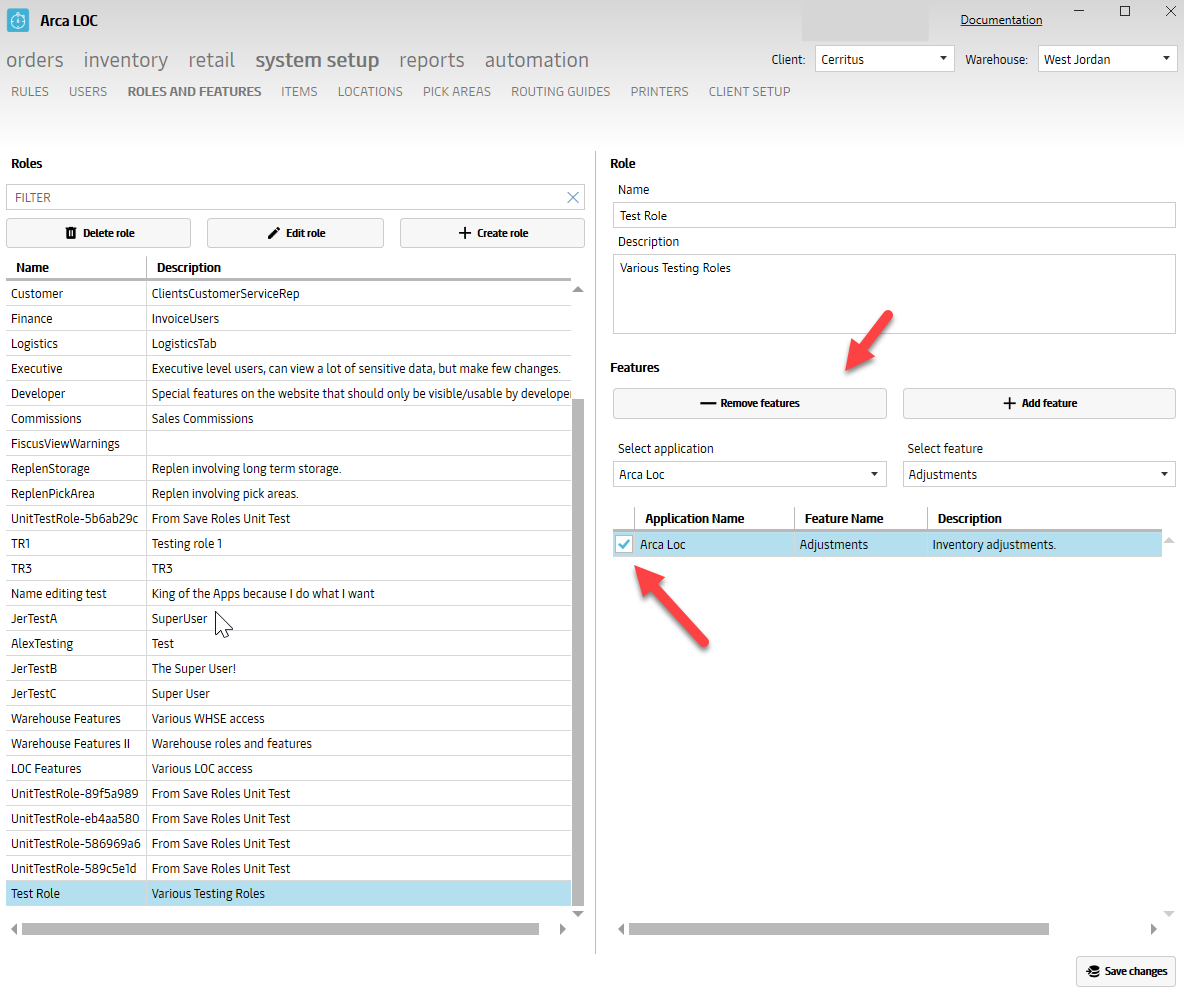
Remove Features
Select the check box under the application name then click on remove features.
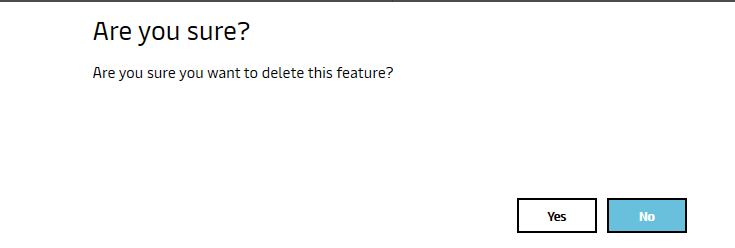
A message will display to verify that the user wants to delete the feature, click yes.
Feature will be removed, then user has to click save changes.
Edit Role
Click on Edit Role button, make the changes then save changes.
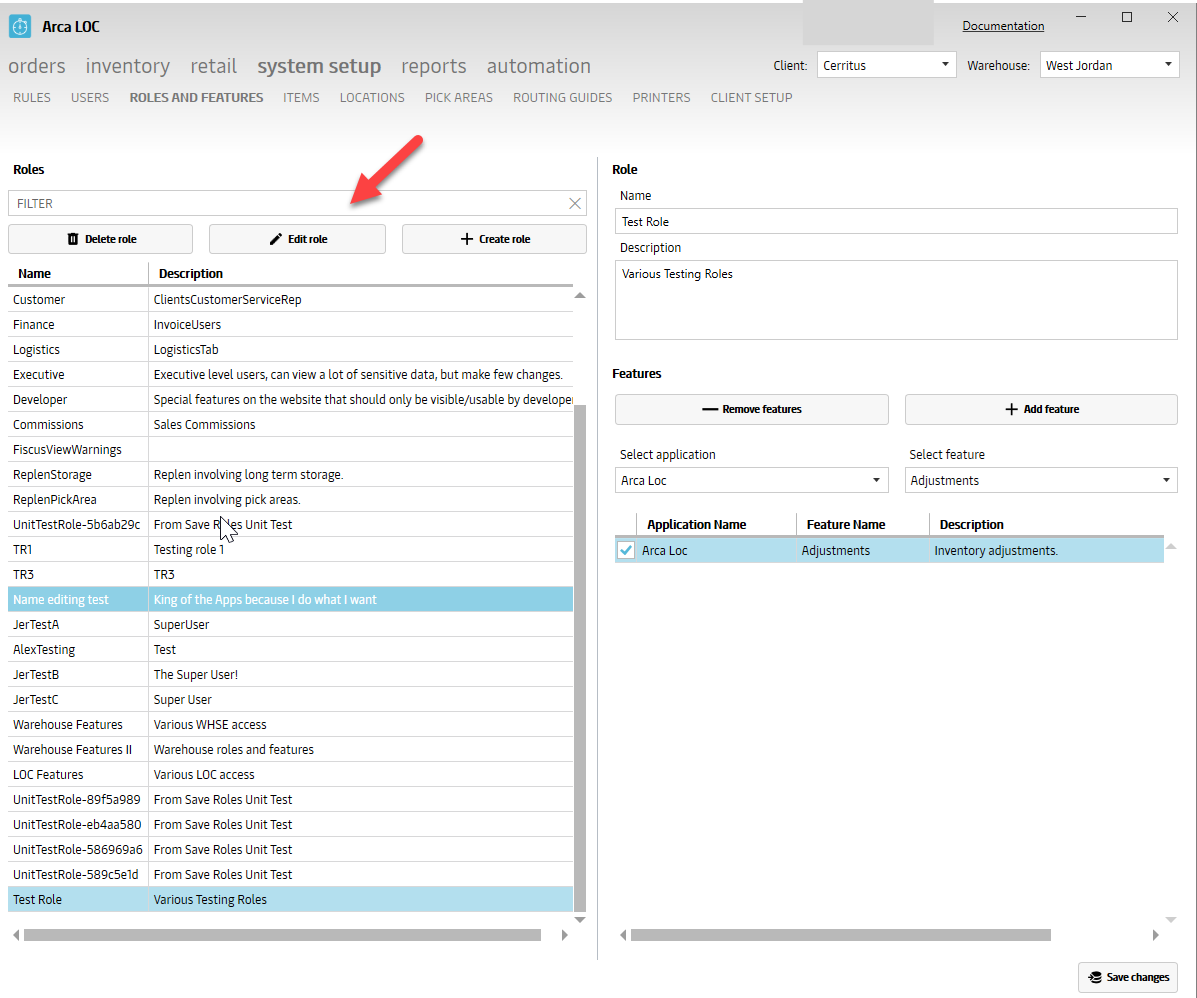
Delete Role
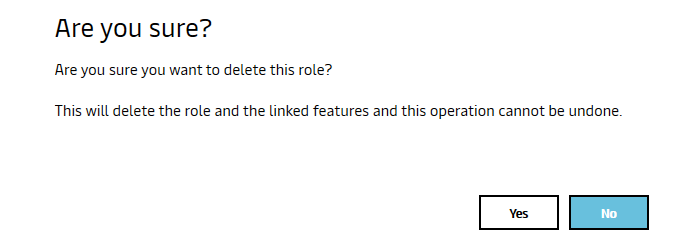
Click on Delete Role, message will be displayed if you would like to proceed with this removal, click yes Role will be removed
System Setup/Users
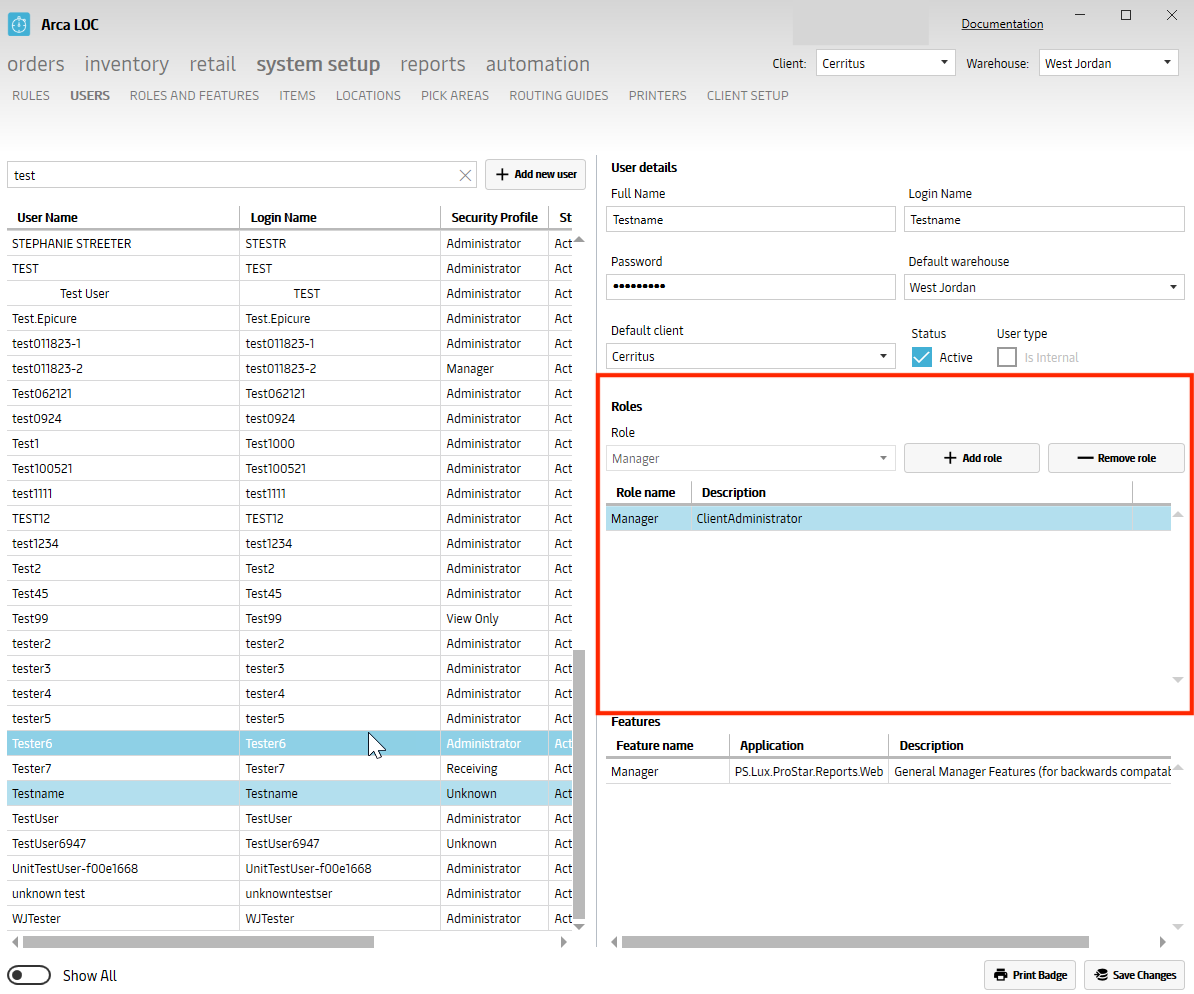
After the new roles have been created, a new user can be added to fit the appropriate role. We have various users in the warehouse where we would like to add/restrict access to certain features depending on their role. Here is where we set them up with a login name, password, client, default warehouse along with active status. Multiple roles can be set up for a user. New roles can be added and removed at any time. You are also able to edit a user by making the changes then saving.
There is also a Show All toggle to display all users or just active users.
System Setup/Users
After the new roles have been created, a new user can be added to fit the appropriate role. We have various users in the warehouse where we would like to add/restrict access to certain features depending on their role.
Here is where we set them up with a login name, password, client, default warehouse along with active status. Multiple roles can be set up for a user. New roles can be added and removed at any time. You are also able to edit a user by making the changes then saving.
There is also a Show All toggle to display all users or just active users.
New Screen - Printers
Here you can add network printers into the database. You will give it a name, under Device you enter the printer's IP address, under Type it can be a standard printer or a ZPL printer for shipping labels. You can add a new printer, edit or delete an existing one and save changes.

5/16/2023
V2023.5.15.0
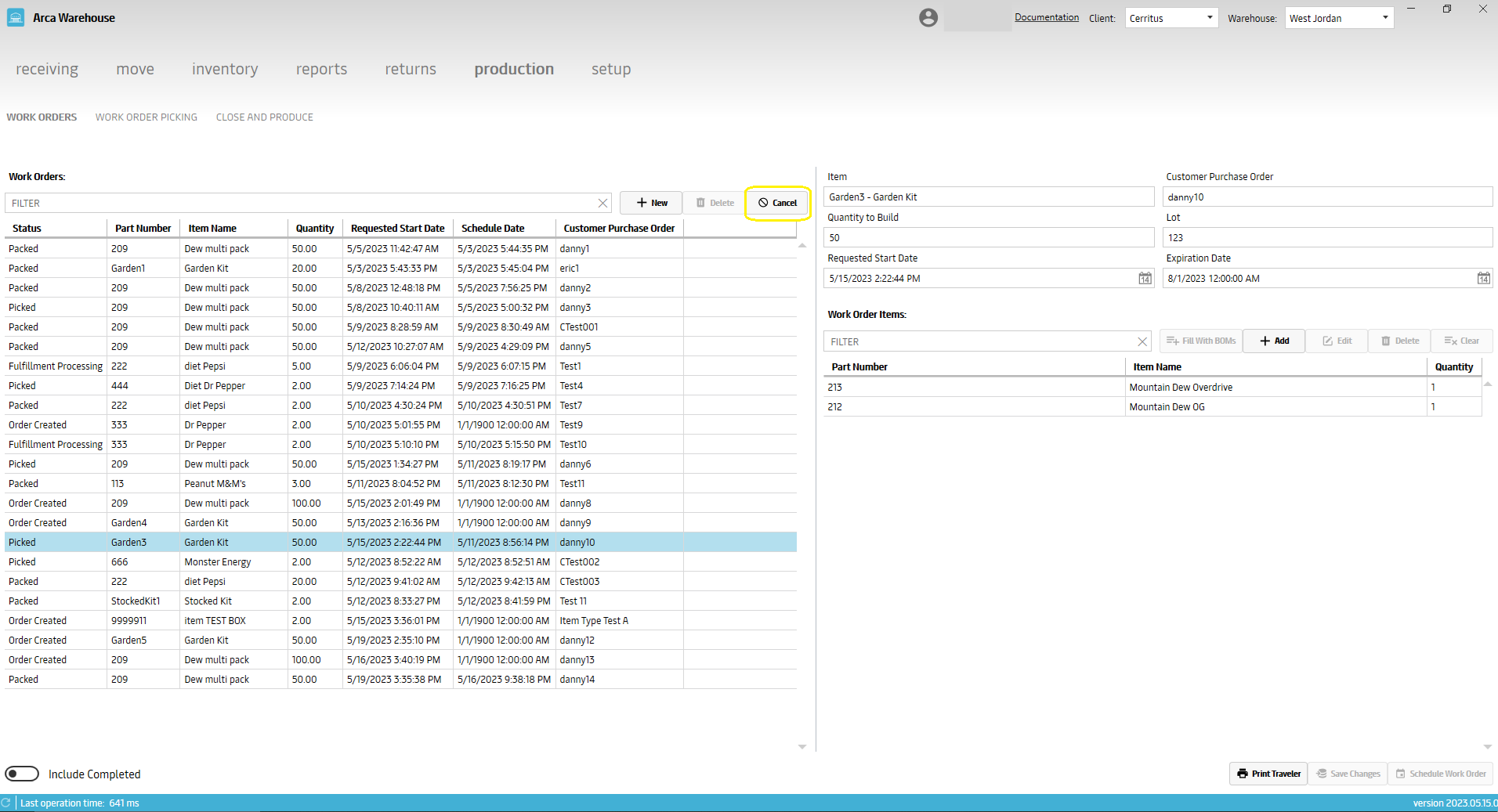
This version is resolving a lot of feedback requests for Work Orders. You now have the ability to:
Cancel a scheduled work order
Partially produce a work order
Undo produced pallets on a work order and return the inventory
Display the item's case quantity on the work order picking screen.
Added a field for expiration date onto the returns screen.


5/4/2023
V2023.05.04.0
This version contains bug fixes for item ledger missing adjustment reasons as well as replenish loading times for Moosejaw.
4/21/2023
V2023.04.21.0
This update has some backend changes to bug fix the replenishment screen's Pick Location to Pick Location and Pick Location to New Pallet stations.
3/21/2023
V2023.3.17.0
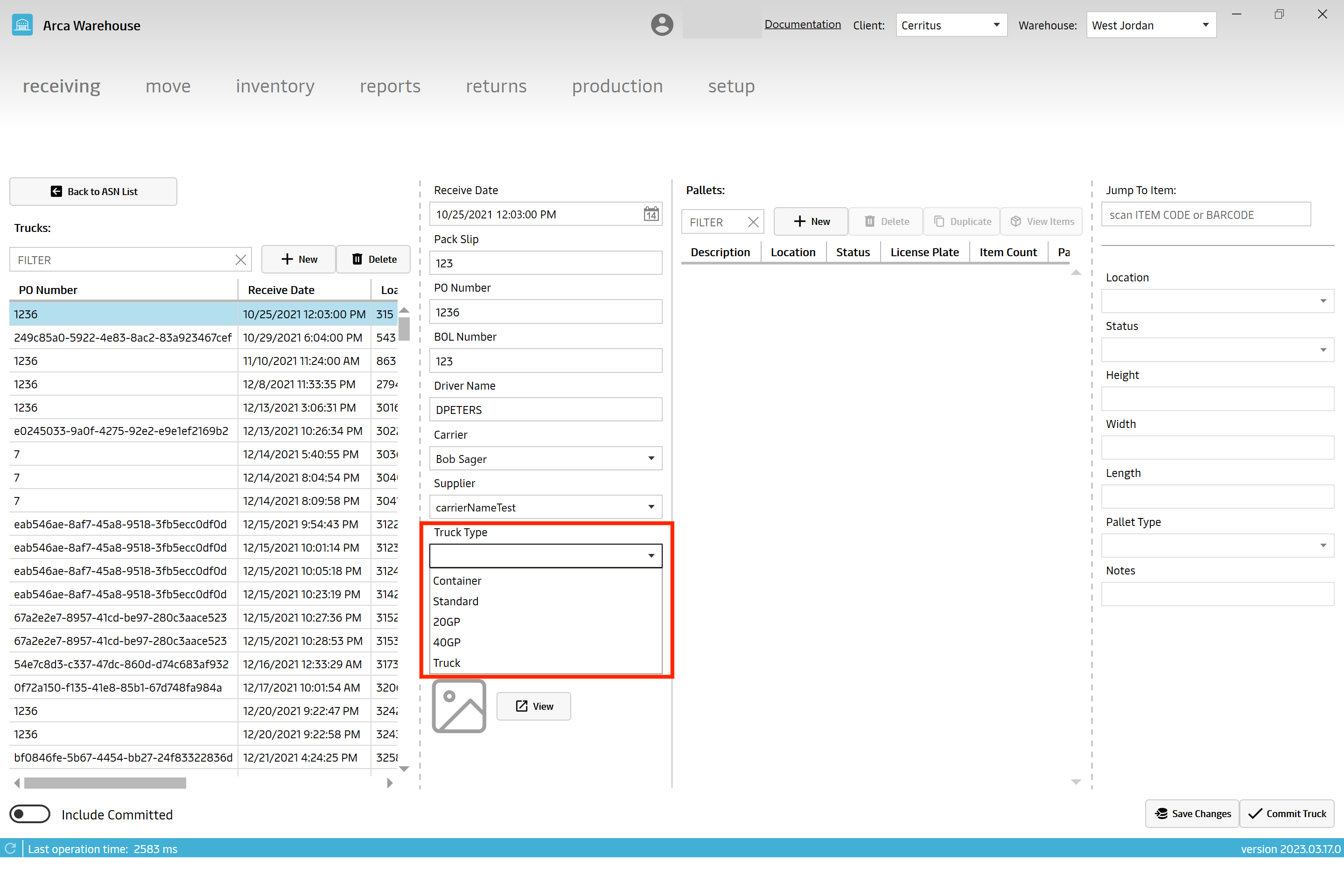
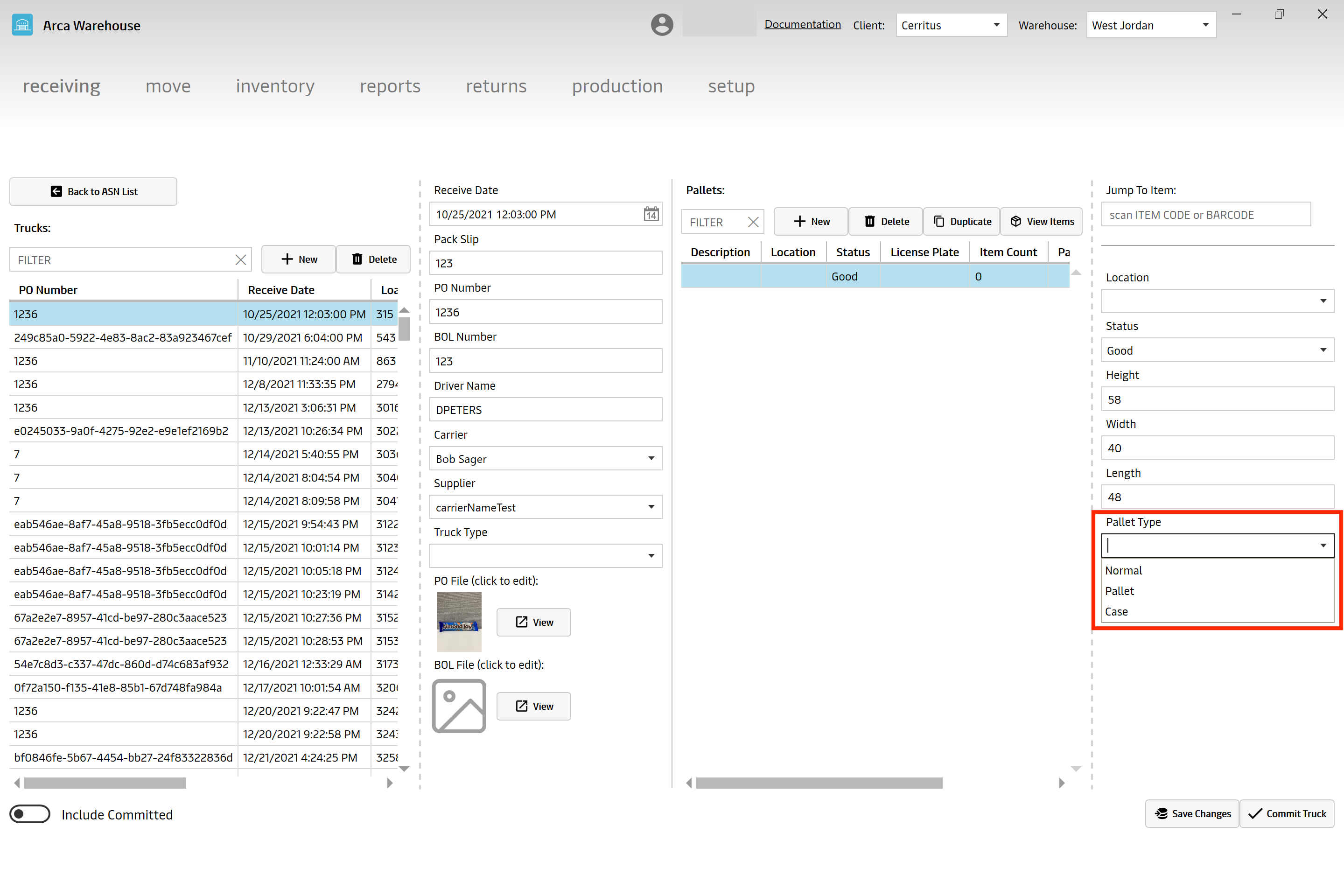
There are two new drop down menus on the receiving screen. Truck type and pallet type. These are for billing, we charge different if we're receiving a whole truck vs pallets so this will allow them to specify what they're receiving.
3/2/2023
V2023.2.27.0
User Requested Feedback
No new feature changes, just some user requested feedback fixes.
- Work Orders/Production screens.
- Setting the curser to focus on the quantity box after you scan in your location on the replenishment screen.
- Not reintroducing a deleted pallet when committing a truck receive.
1/20/2023
V 1.21.0
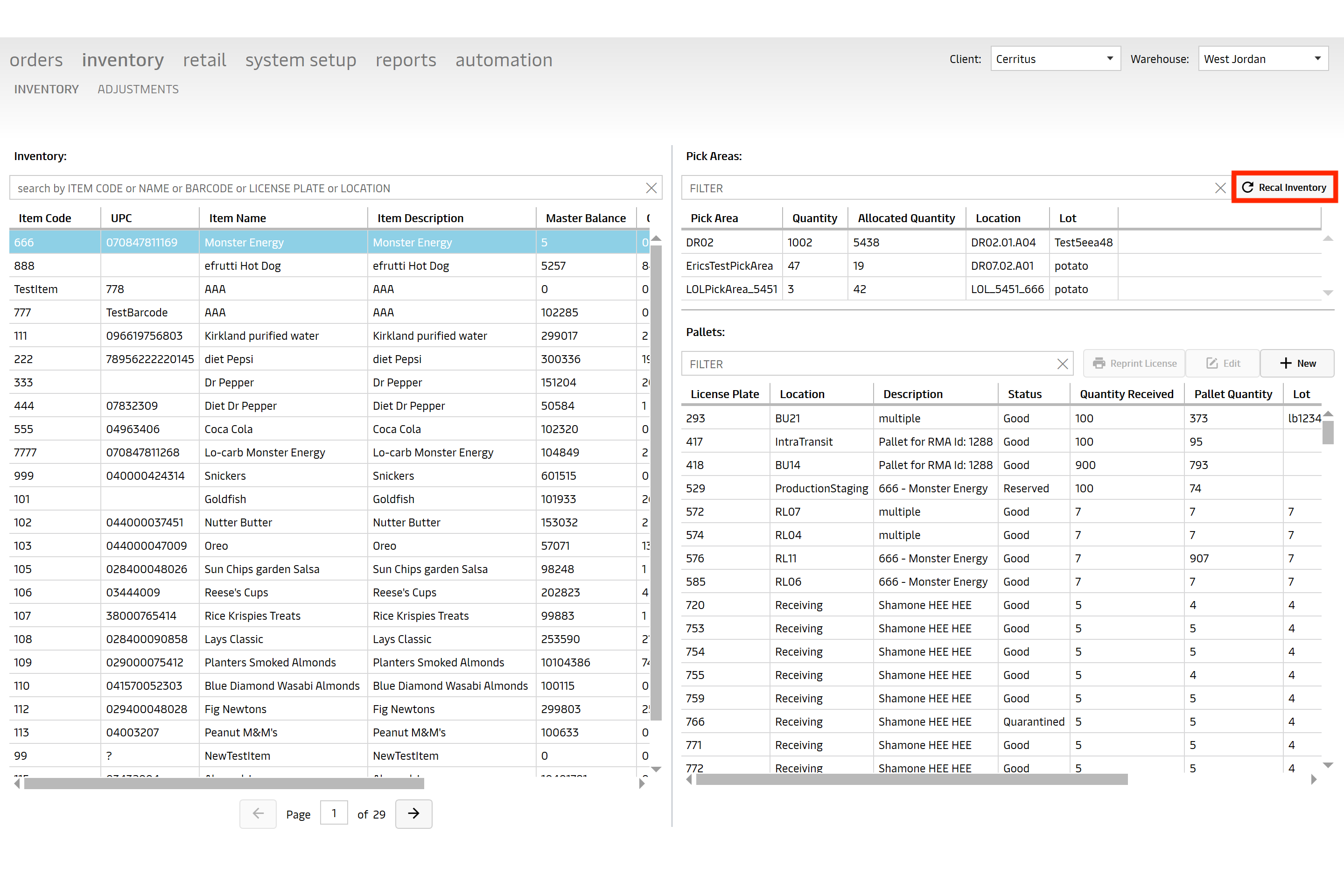
Inventory Screen - Recalculate Inventory Button
This is a new button to allow a user to recalculate the inventory numbers for any selected item. This is going to look at all the pallets and pick areas which contain the selected item and sum up the total quantity and adjust the balance numbers. It will also create a new entry into the Item Ledger report showing that the item’s balance was recounted.
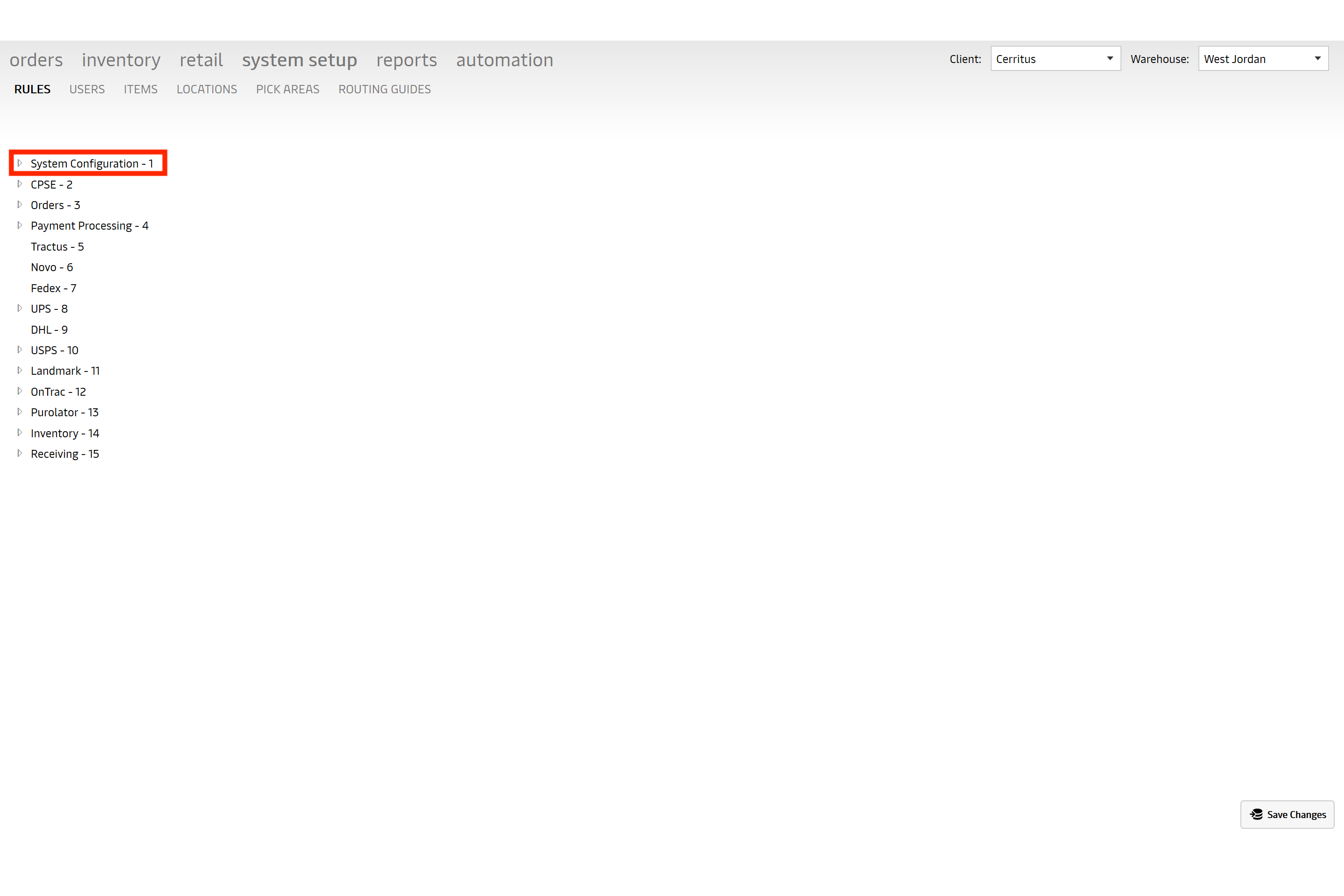
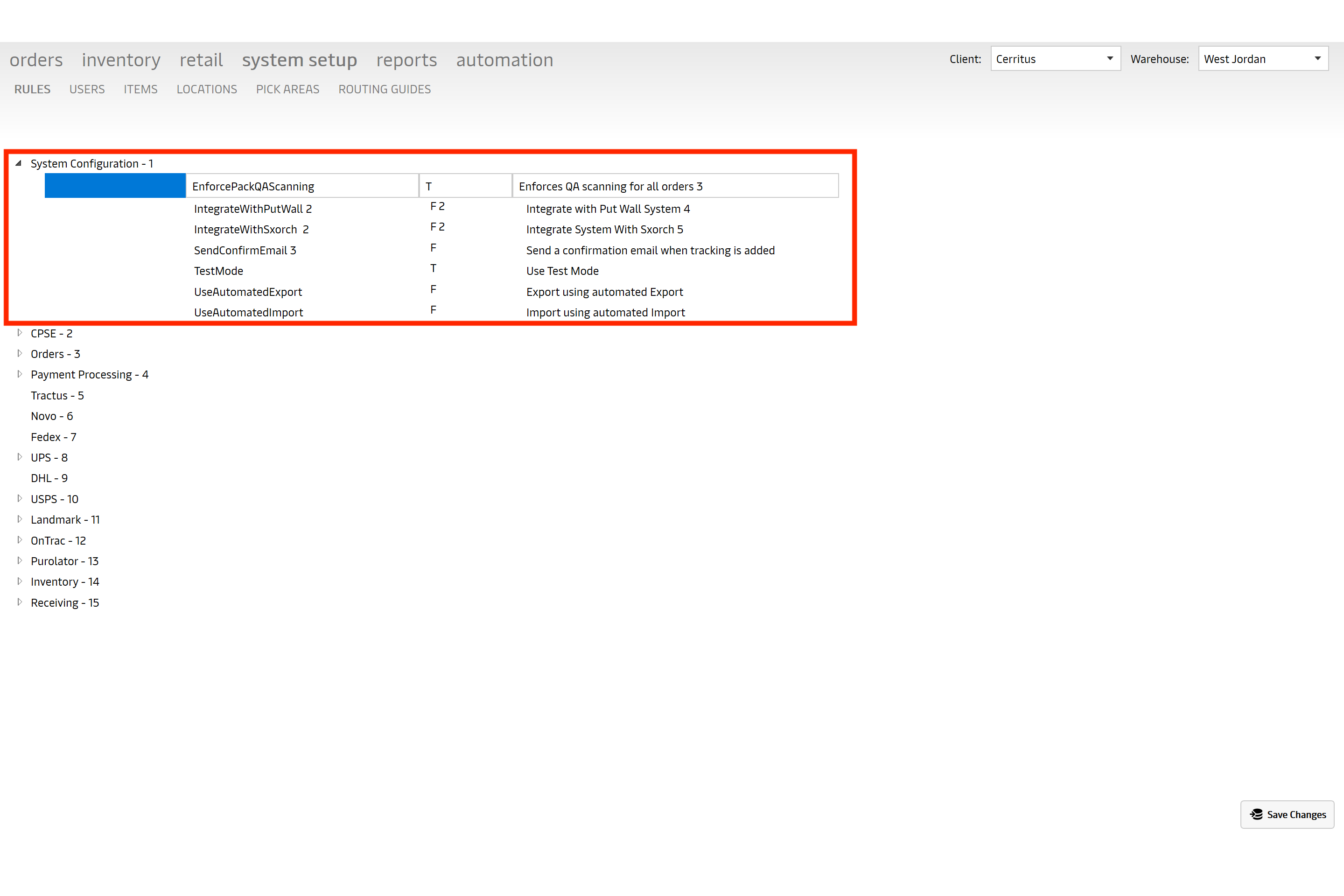
Rules screen - Allows users to edit T/F and turn rules on/off
Rules are now grouped by section ID; you will click on the expand arrow to open a group of rules and see all the rules inside of it. Once you chose a rule from the expanded group a user will be allowed edit the middle column and change values from T/F to turn rules on or off. Some rules have different values than T/F such as PacklistPrintingOrder. This rule’s value is DGFirst, signifying those items marked as Dangerous Goods will print first. Need to be careful not to change values to something that wouldn’t apply to the rule. Users are not allowed to edit/change the Name of a Rule or its description.
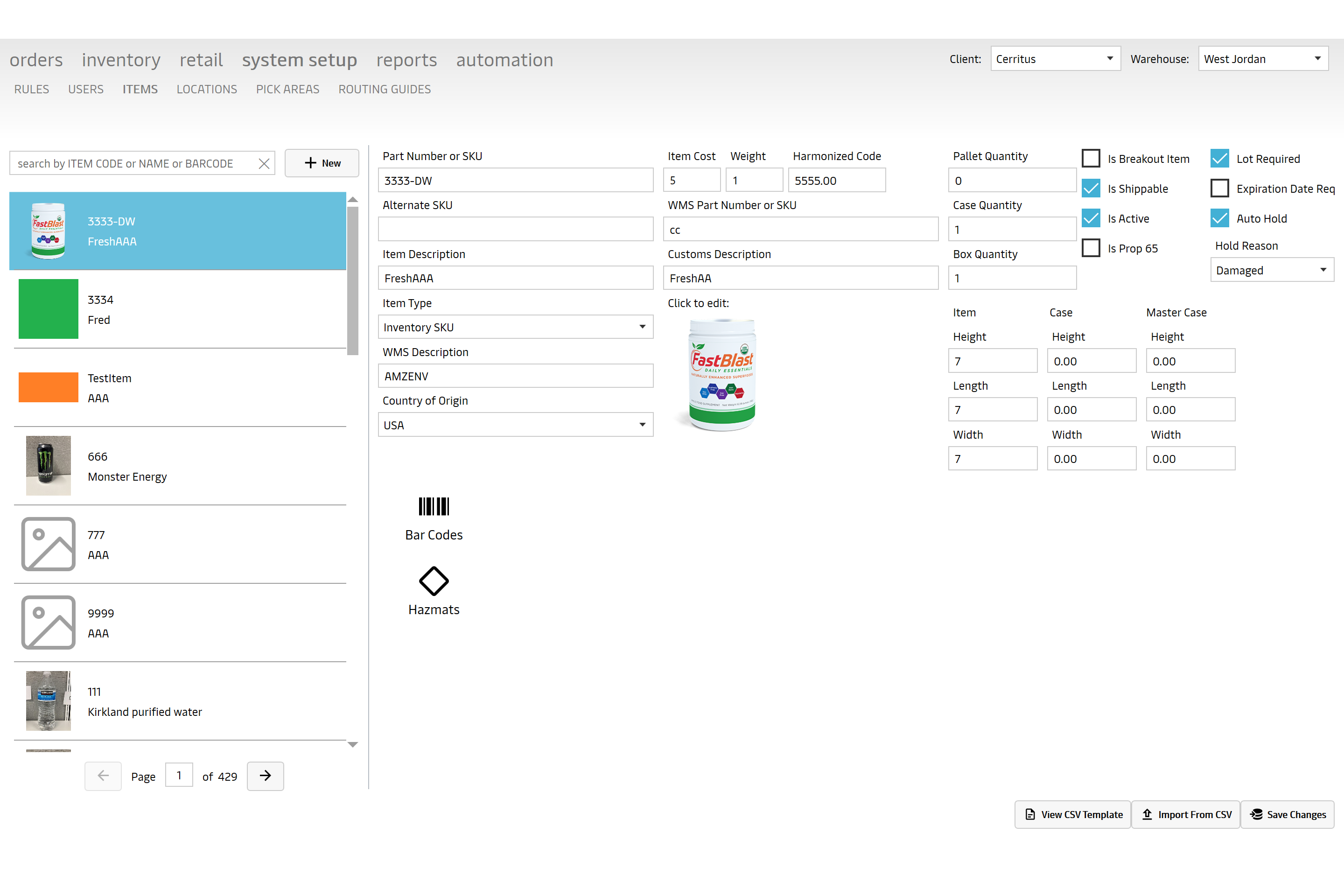
Items Screen - New check boxes for lot control
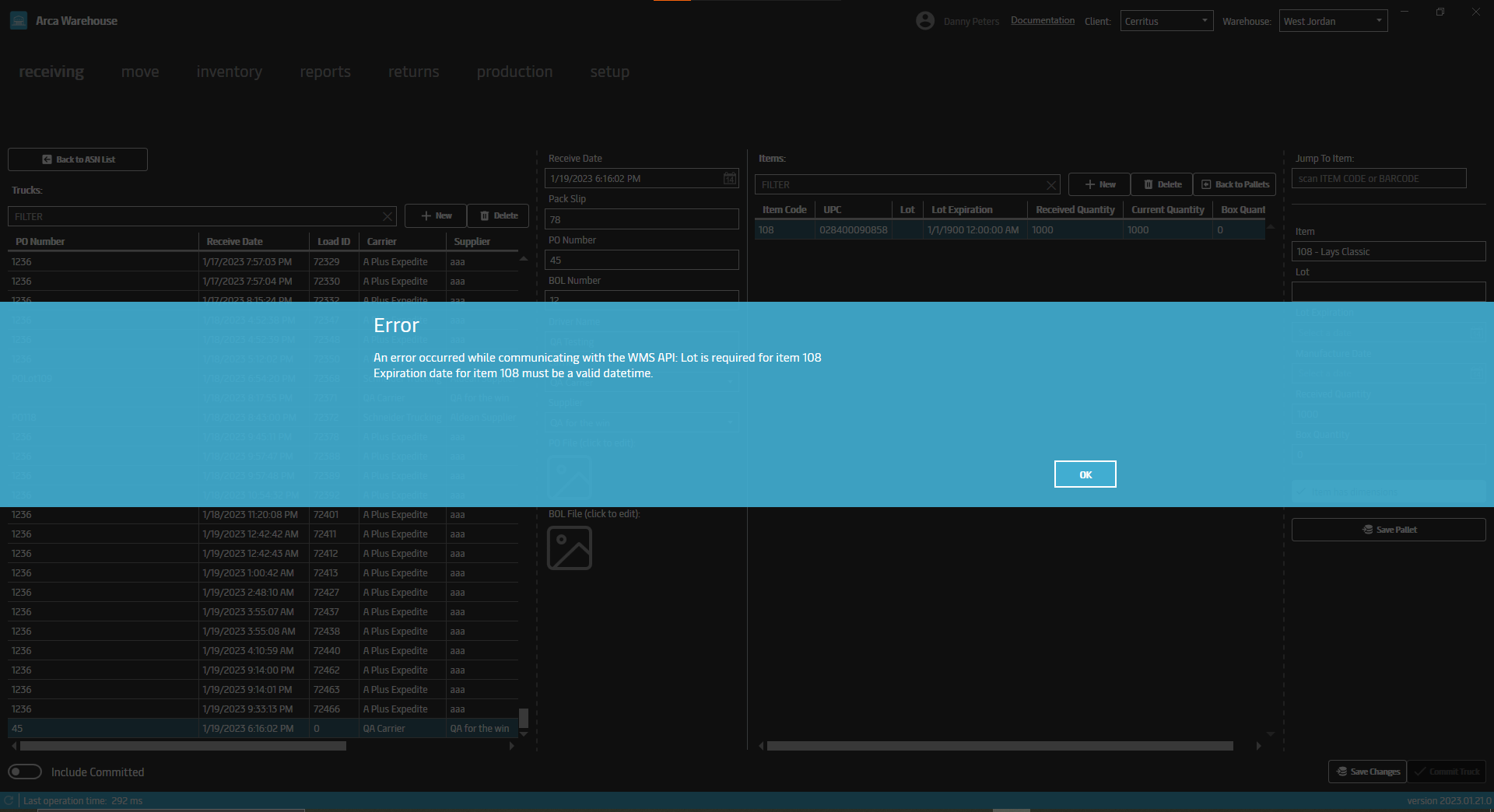
On the Item screen we’ve add a few new check box items that are designed around lot control. Lot required, expiration date required and item auto hold reason. If lot required is checked, then when you’re doing a truck receive a user is required to enter the lot number for this item. Same for expiration required, you will not be allowed to save/commit a truck receive to inventory without entering an expiration date for the lot. New error messages will be displayed telling the user which item is missing either lot, expiration date or both. Auto hold reason comes with a new drop-down menu to select a hold reason from; Bad, Damaged, Quarantined or Reserved. If the item you’re receiving is marked as auto hold and the reason is Bad, then when a user is committing a truck receive to inventory the pallet with that item will automatically default to a pallet status of quarantine. We have used the pallet status quarantine to umbrella all of the ‘not good’ items. So an auto hold reason of bad or damaged will also result in your pallet defaulting to a pallet status of quarantined. This is because there really shouldn’t be a situation where pallet status’ are Bad or Damaged, quarantine will cover them all.
1/18/2023
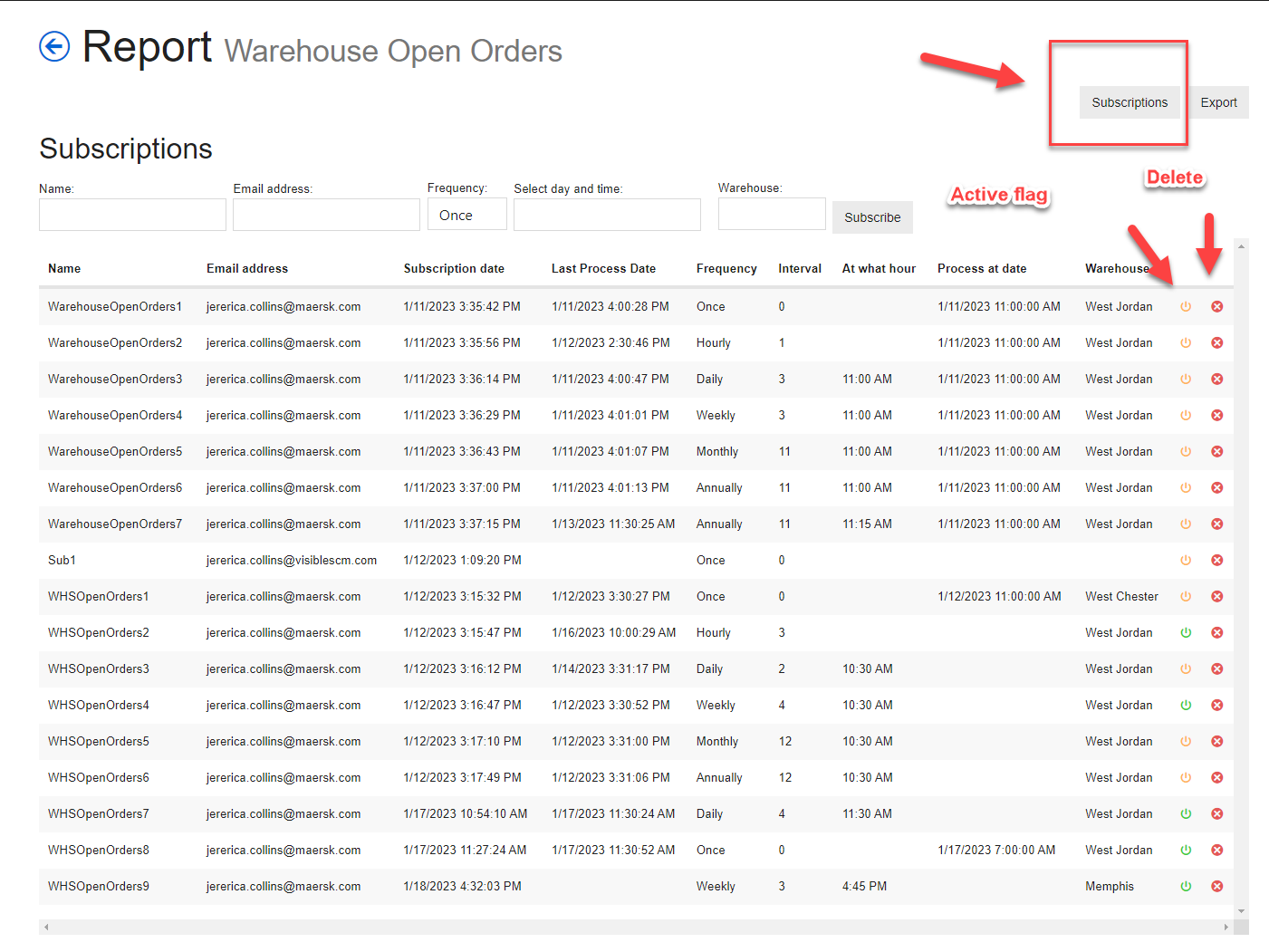
Subscription in Reports
This allows a user to have details for a report to be sent to them in an email on a scheduled basis depending on the frequency/time selected. There is an active/inactive flag. If the flag is green it is active. If the flag is yellow it is inactive. There is also a delete option to remove the subscription.
The reports that will have subscriptions available for right now are:
- Returns
- Inventory Needed
- Warehouse Open Orders
- Open Orders
- Retail Open Orders
- Order Lookup
- Order Reset
- Batch Order Bucket
- Batch Worksheet
- Retail Orders By Status
V2022.12.9.0
Release Notes
12/21/2022
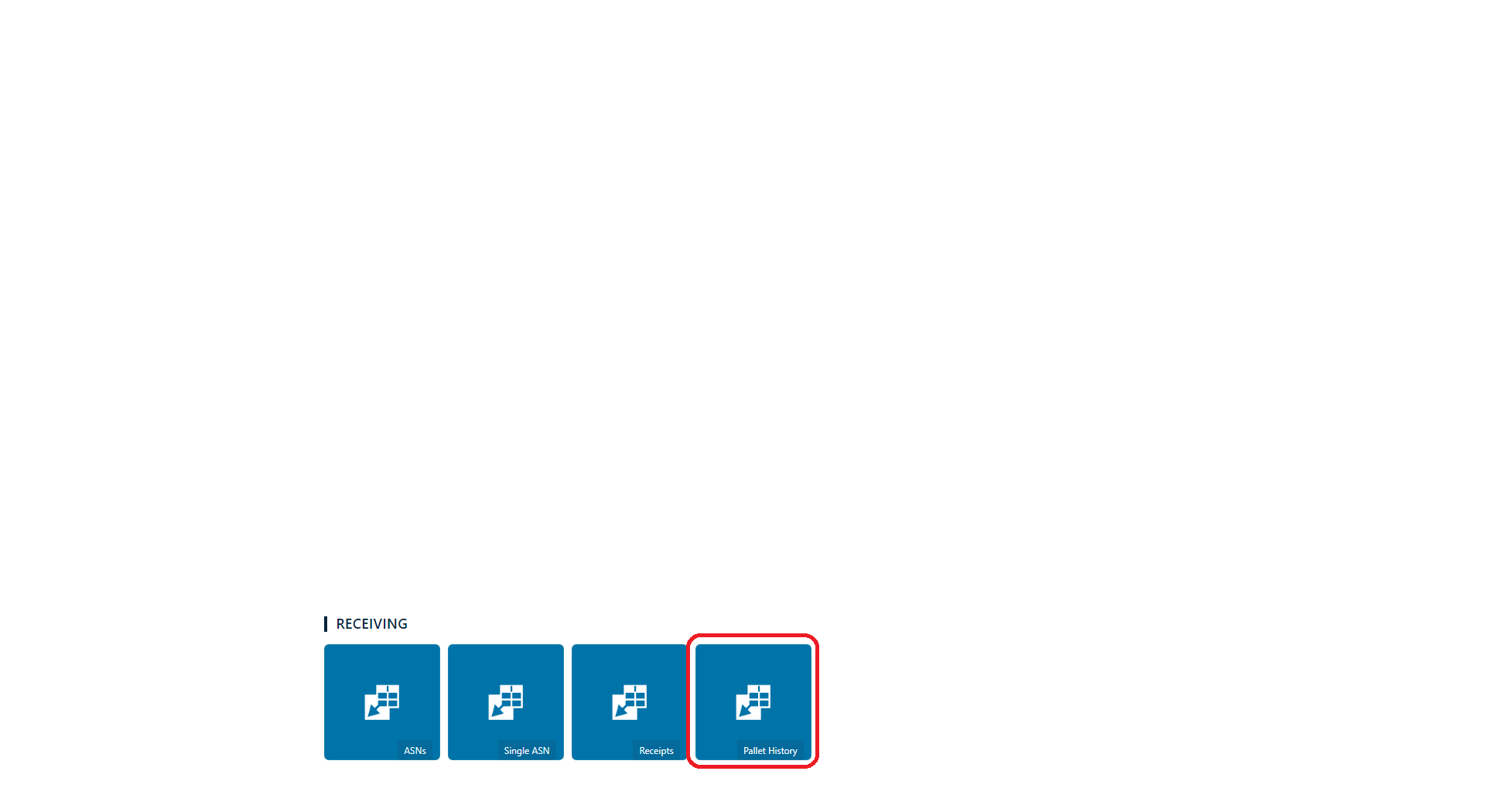
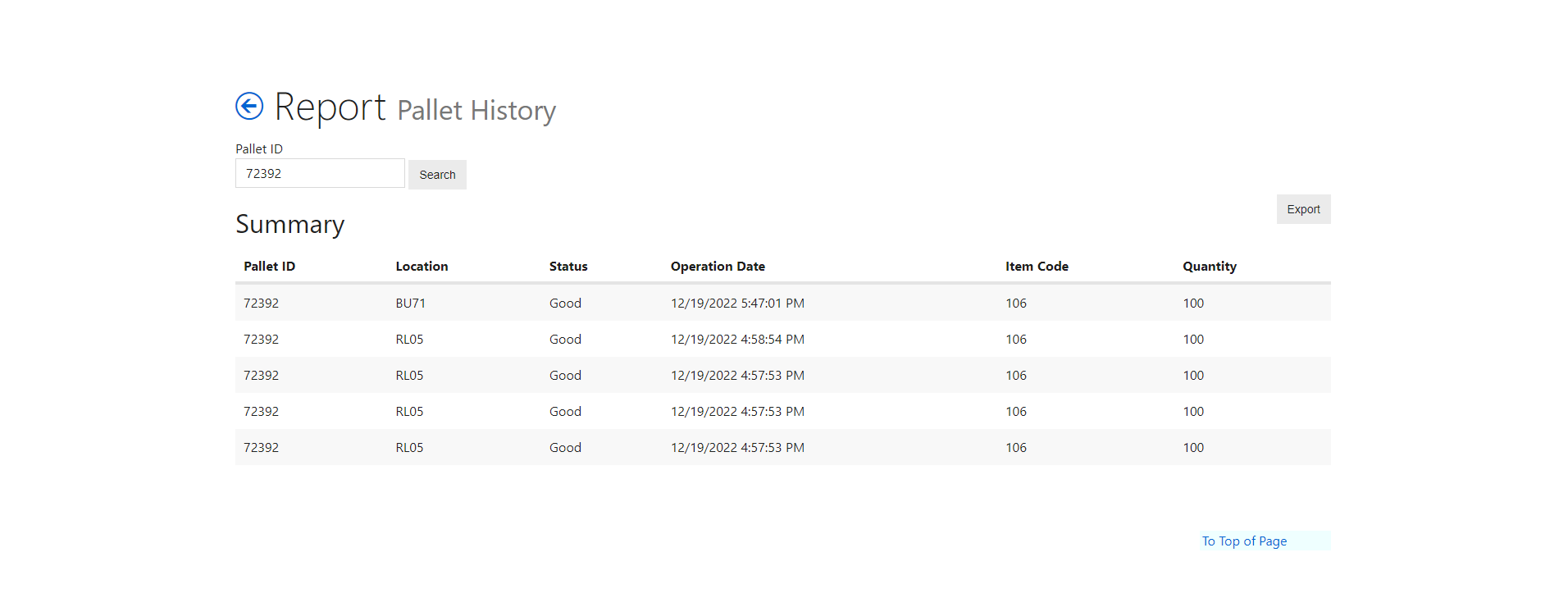
Pallet History Report
Enter a pallet license plate and search, the report returns the pallet detail history. So you can see when it moved locations or when the item quantity was reduced through replenishment.
Orders By Lot Report
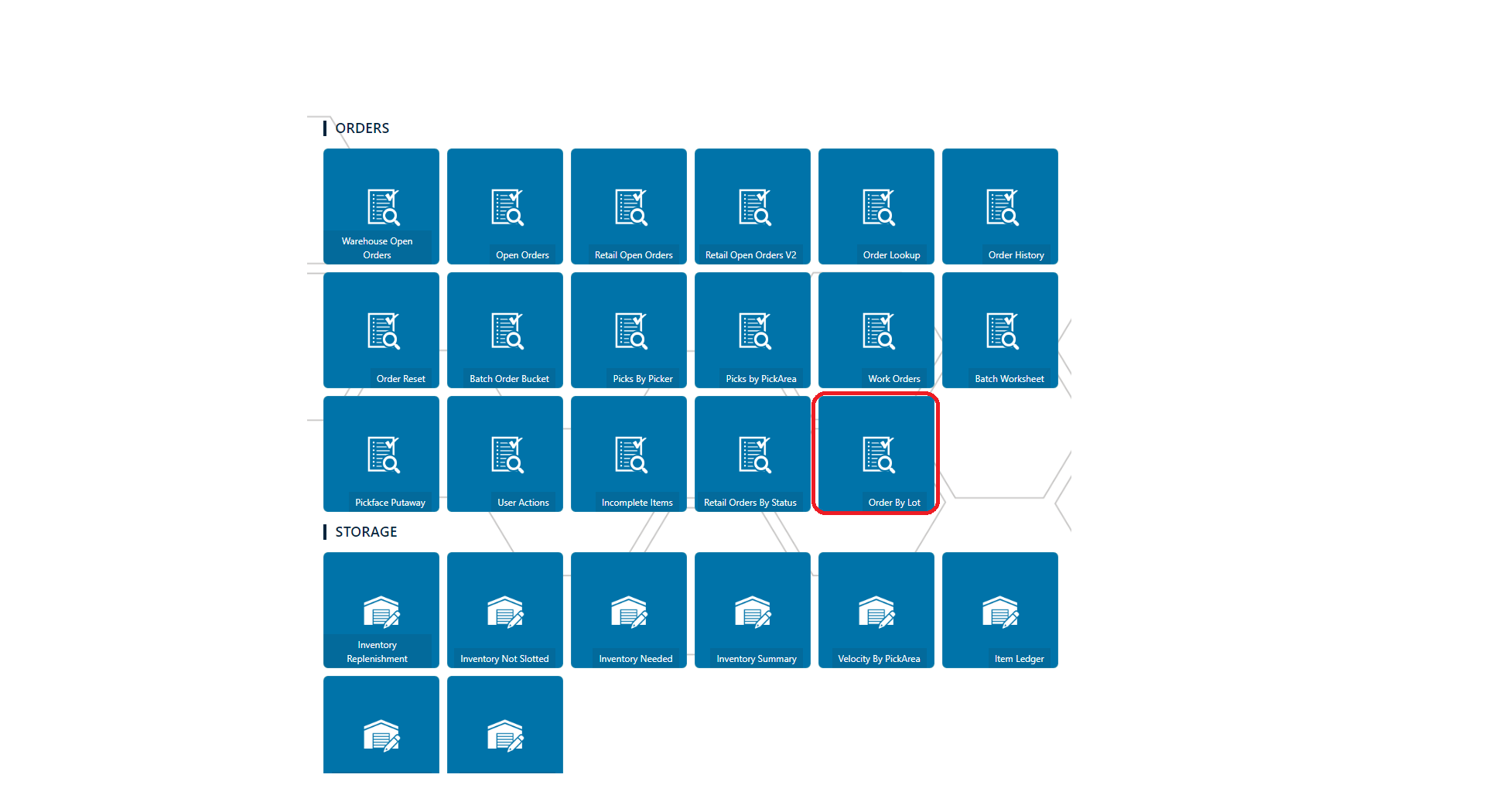
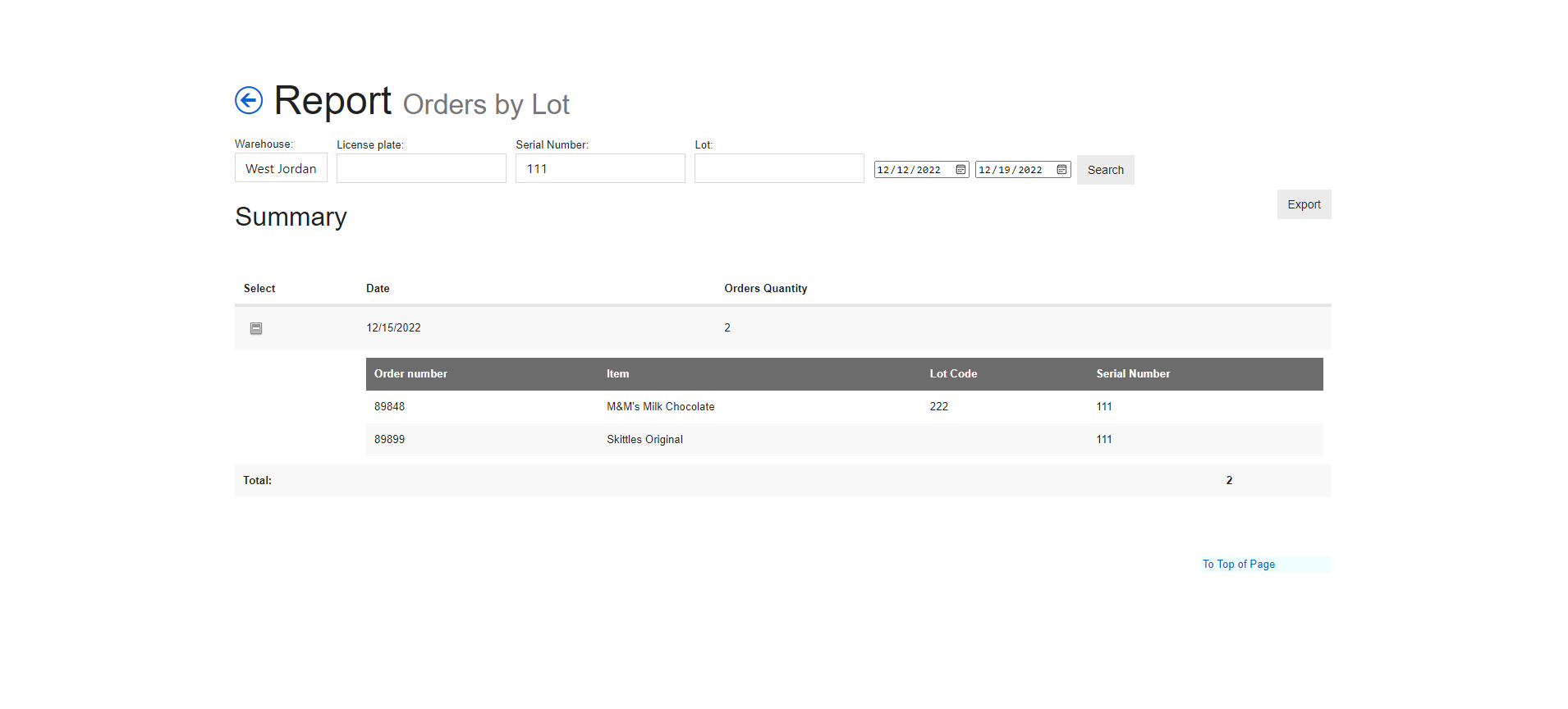
This one pulls from picked items that use Lot or Serial capture flags. So you can choose a warehouse and date range at minimum then search and it will return the order number and show you the items and lot or serial numbers that were entered when the item was picked. You can filter for specific License plate (that's the Maersk order number/shipping license plate like CER89848), Serial Number and Lot and it will return the orders that fall in the specific date range.
Receiving
Add ASN filters by Warehouse - ability to only view ASNs per specified warehouse.
If an item has multiple bar codes, the user is able to scan/search all bar codes.


Login
Able to view what warehouse user is logged in as - read only.
Document Link

Inventory/Inventory - Under Pallets Header
Added pallet status.

Move/Replenish - Pallet to Pick Location
Displays flex location that was scanned.

Move Guided Slotting
Added Received Date

10/27/2022
Updated pallet label.

8/11/2022
V2022.8.2.0
| Menu | Release |
|---|---|
| Move | Added UPC to Guided Slotting screen |
| Move | Added UPC to Put Away screen. |
| Receiving | Added UPC to Receiving under Item |
| Inventory | Added UPC to Inventory screen. |
| Inventory | User is now able to search for item code (just need to add this to your section details.) |
| Inventory | Added the ability to search by location. |
UPC in Guided Slotting

UPC in Put Away

UPC in Receiving

UPC in Inventory

Search for Item Code

Search by Location
